 Happy Medium™Daily Log, journal, and tools
Features
Record your day, return to its context, and choose tools for the situations you want to work through.
Daily Log
A setup that can change with you.
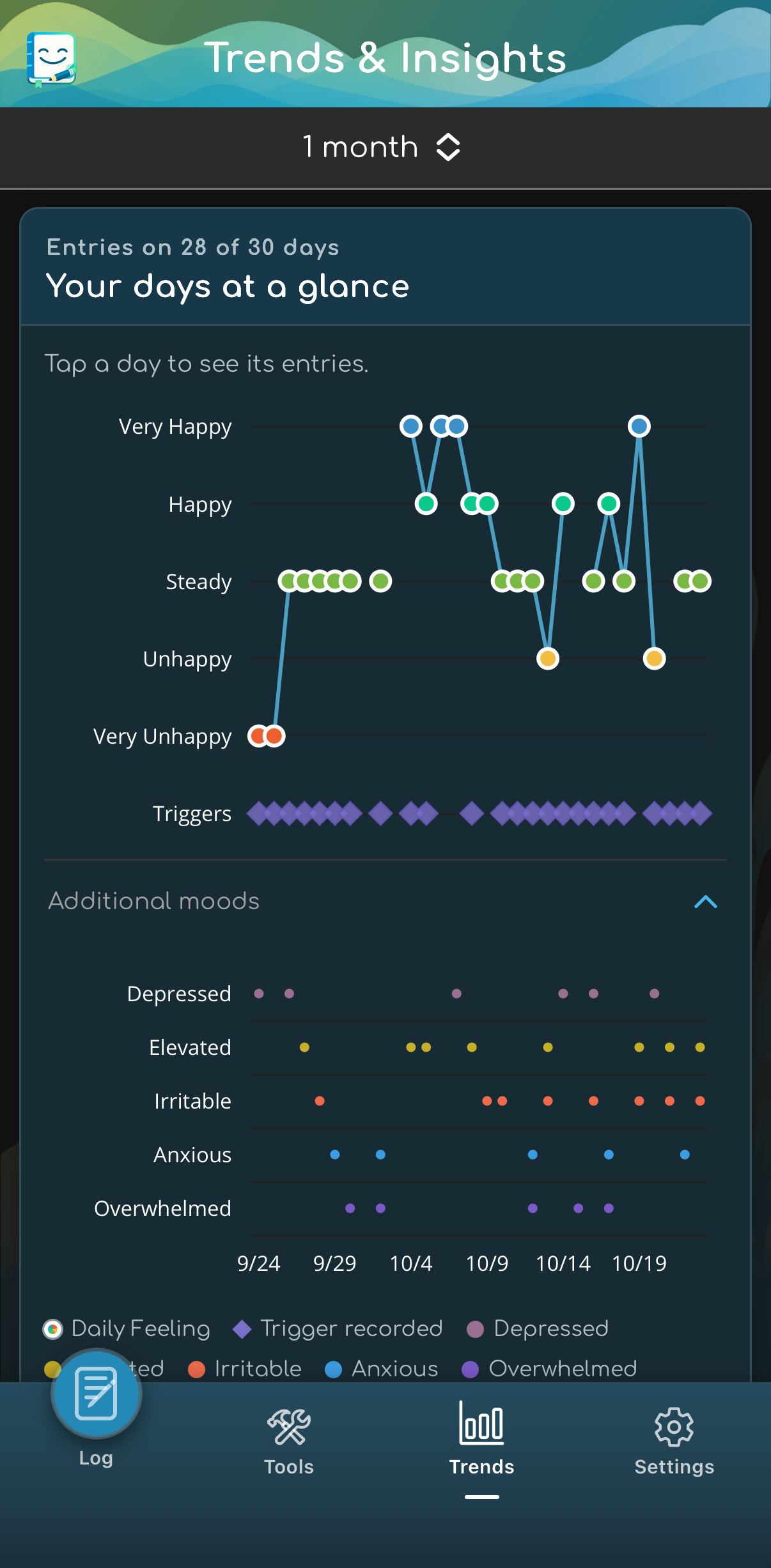
Overall feeling offers five choices: Very Unhappy, Unhappy, Steady, Happy, and Very Happy. Additional moods lets you select Depressed, Elevated, Irritable, Anxious, and Overwhelmed—multiple or none. Each check-in has its own explanation. Enable them in Daily Log Template; switching off Overall feeling also switches off Additional moods without deleting saved selections. Notes, Gratitude, medications, and custom logging points remain yours to configure.
Swipe or use the gallery controls. Tap an image to enlarge it.
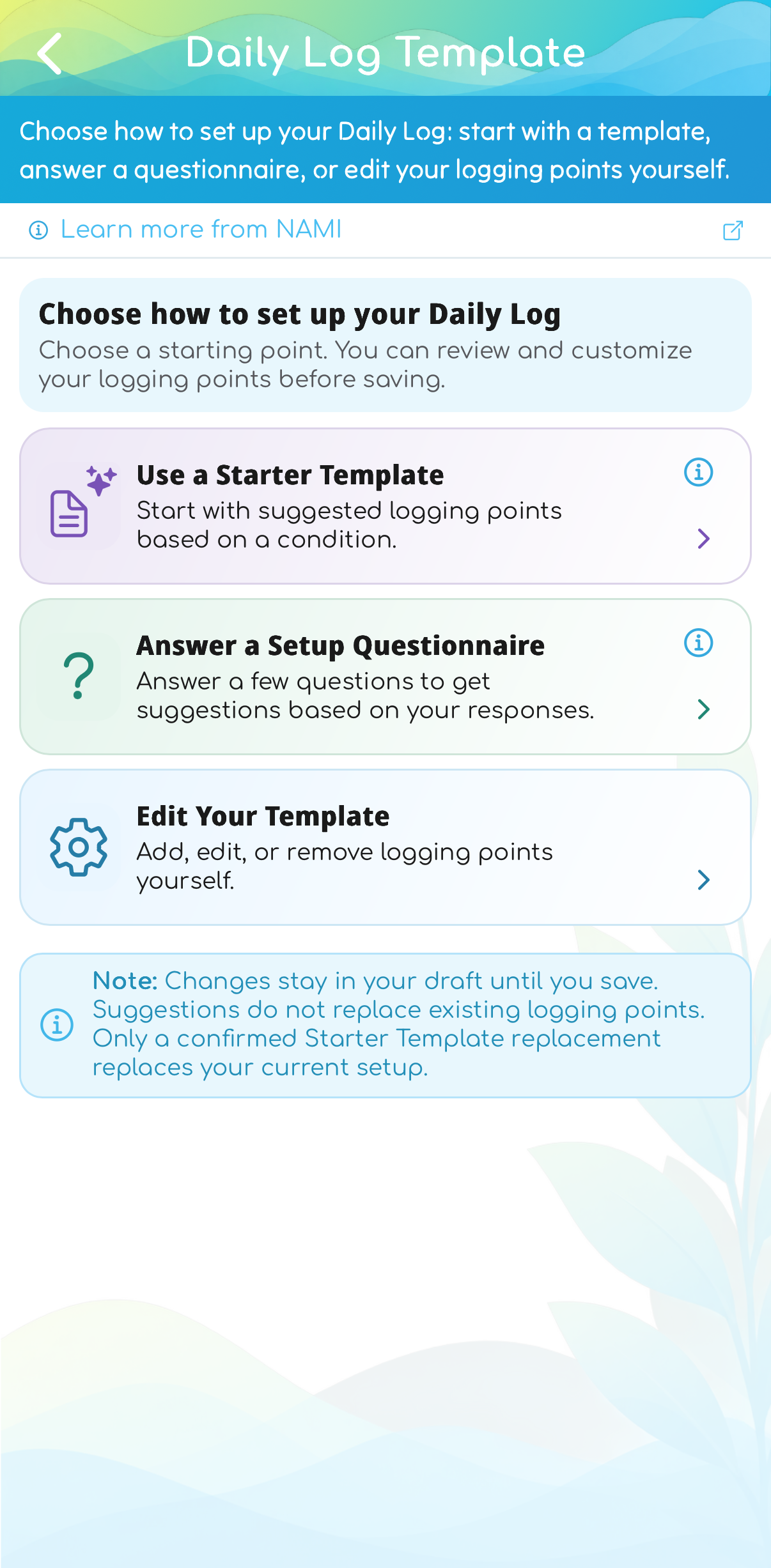
Choose how to start
Start with a template, get questionnaire suggestions, or edit your own setup.
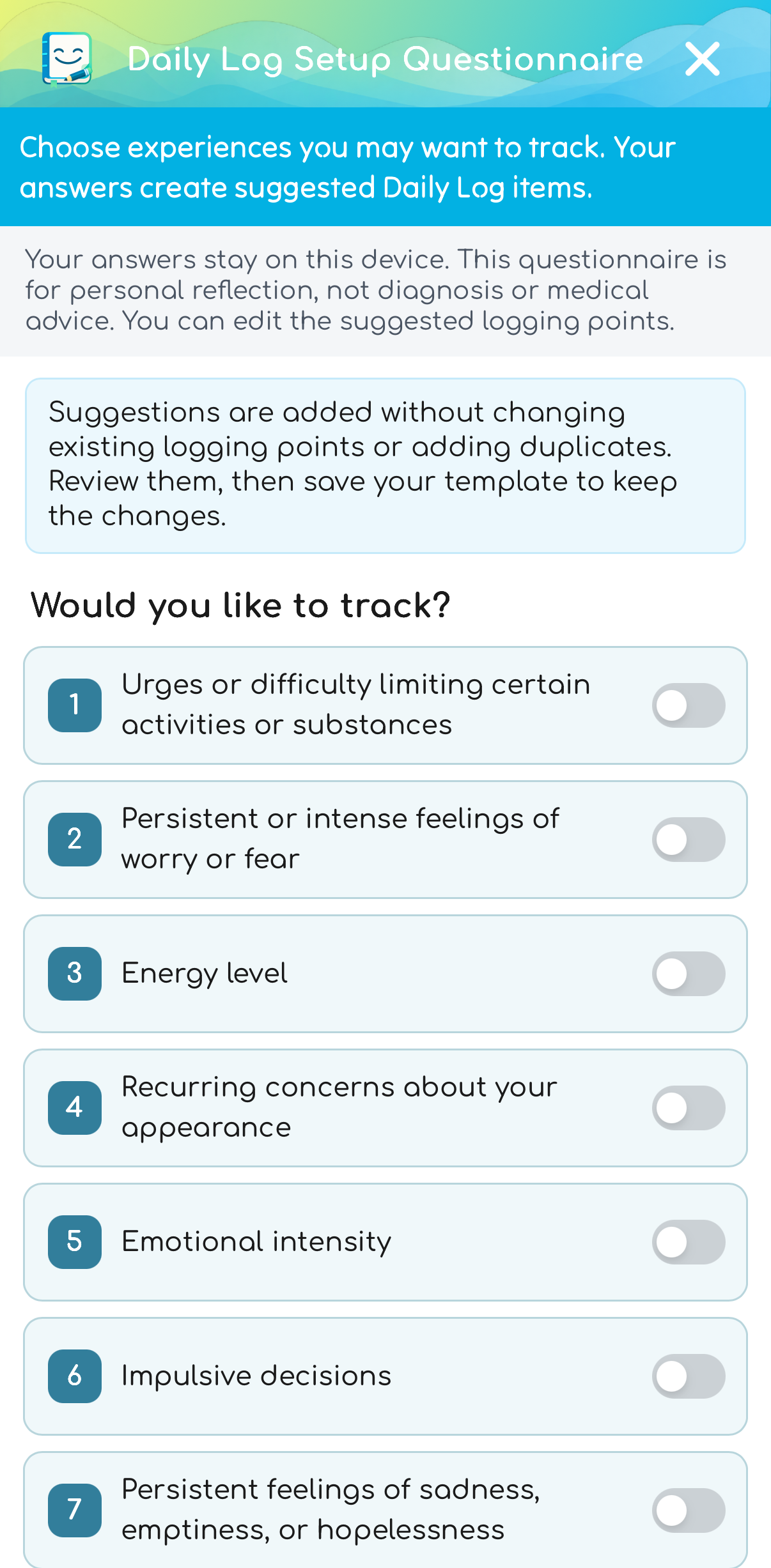
Get suggestions
Questionnaire answers suggest editable items. Review the additions, then save your template.
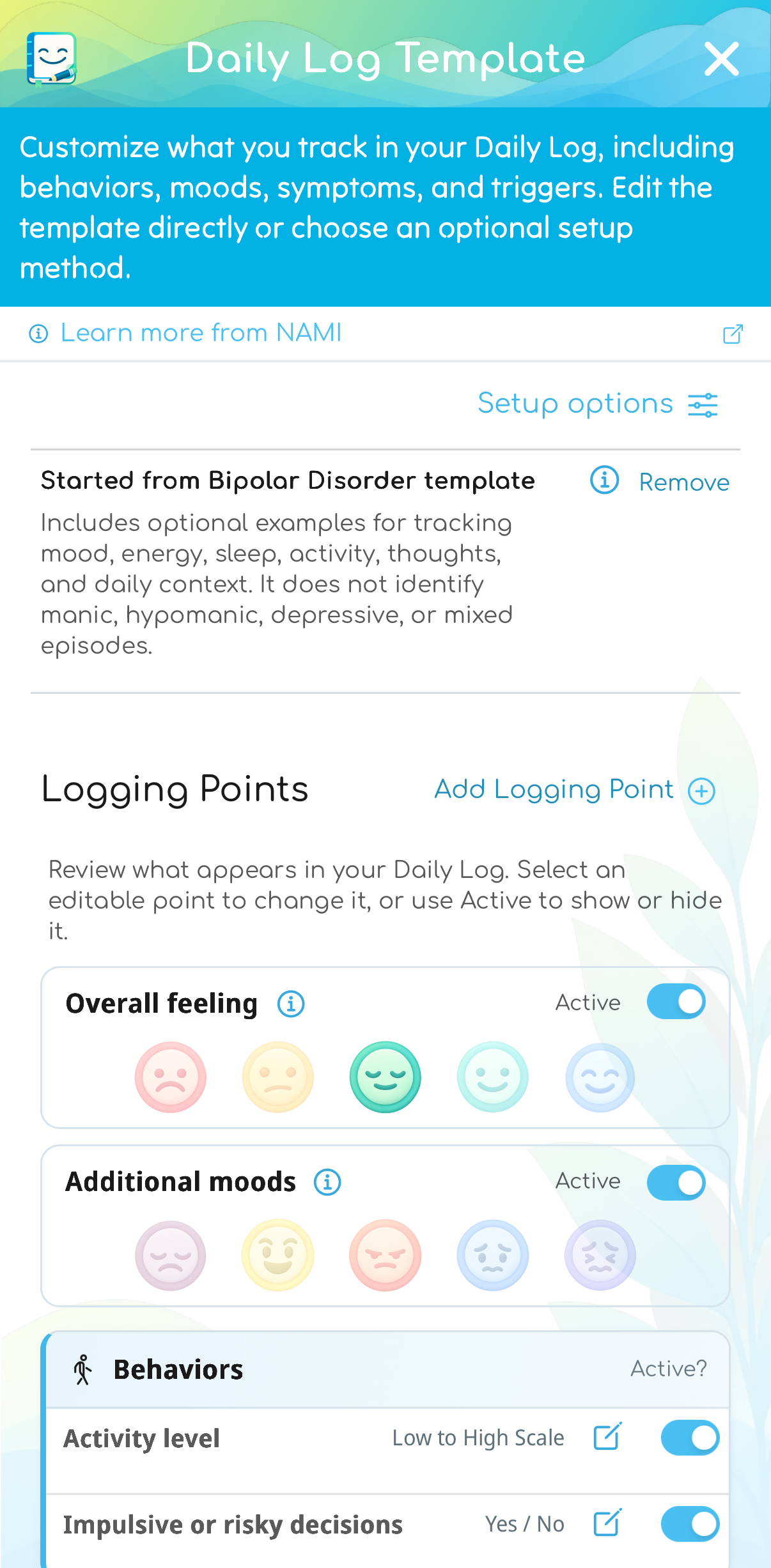
Choose what appears
Enable your check-ins and edit which logging points appear in your Daily Log.
Setup offers Starter Template, Setup Questionnaire, and Edit Your Template. Questionnaire suggestions add to your draft and skip duplicates. Replacing an existing starter asks for confirmation; changes apply when you save the template. New points are not added to earlier logs. Choose how Gratitude appears: categories with optional notes, quick selection, or a freeform note.
Your own logging points: choose names, categories, and controls such as Yes/No, a text scale, or a numeric picker or slider with a range and unit. Once answers exist, changes must remain compatible with those answers. Use a new point for a different measurement, and make the old one inactive.
Medications & reminders
Keep your own medication details together.
Use Medications in Tools to keep names, amounts, schedule labels, start and stop dates, and saved changes together. This works independently of Daily Log tracking and does not require an account.
Tracking and reminders, separately
While adding or editing a medication, choose whether Save also creates a Daily Log point, a reminder, or both. A logging point records Taken Yes/No; a reminder uses the notification time you choose. A schedule label alone does not schedule a notification.
Changes without losing history
Keep previous details in medication history. Discontinuing a medication pauses linked logging points and reminders while preserving recorded entries. Reactivating reuses those links and restores their previous active or paused settings.
Dates for context
Start and stop dates add context in Trends and selected reports, including medications you do not track in Daily Log. Timing overlaps do not establish medication effects. The app does not recommend doses, timing, or medication changes.
Swipe or use the gallery controls. Tap an image to enlarge it.
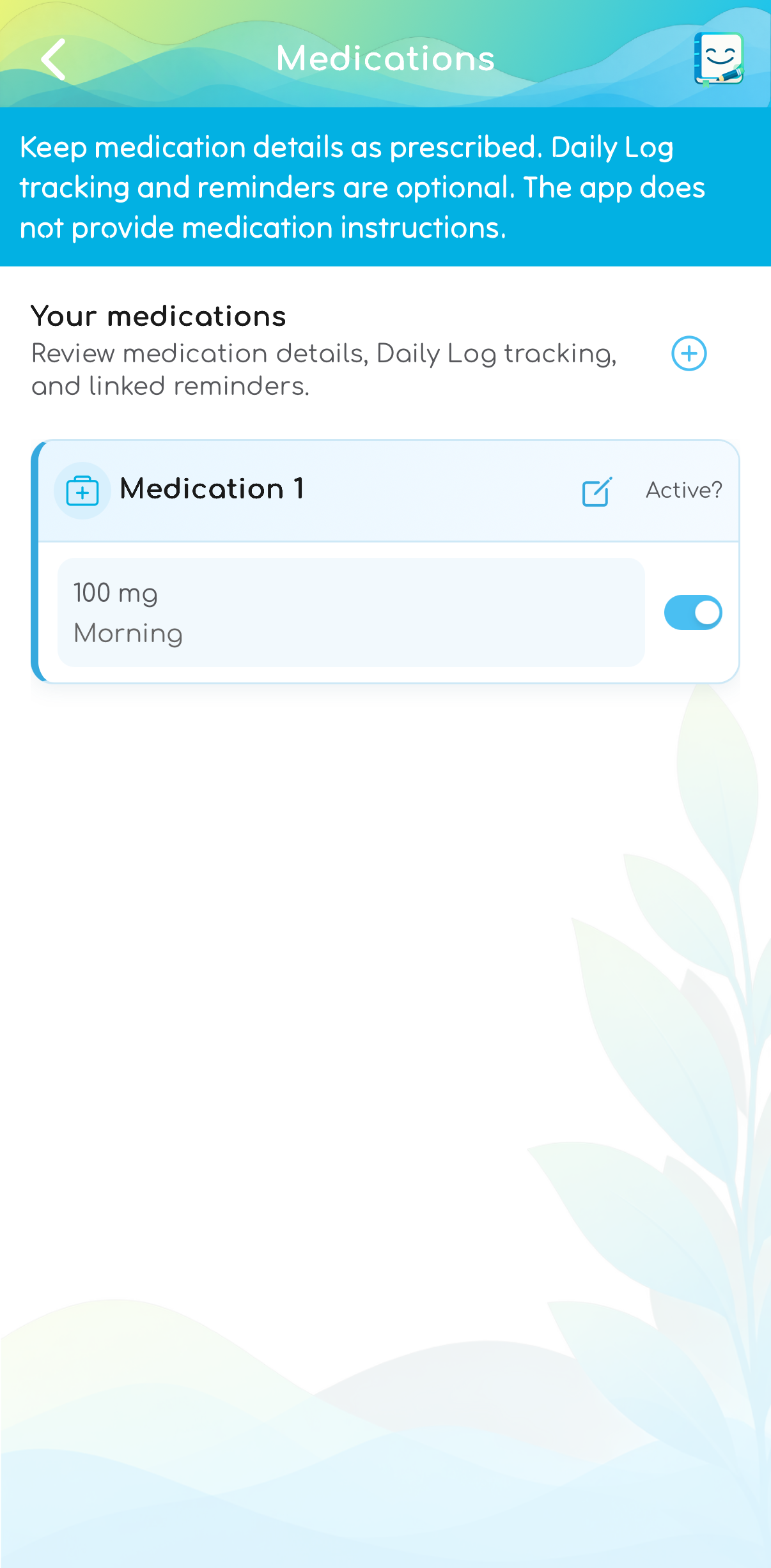
Keep a medication list
Keep medication details in Tools, with Daily Log tracking and reminders available separately.
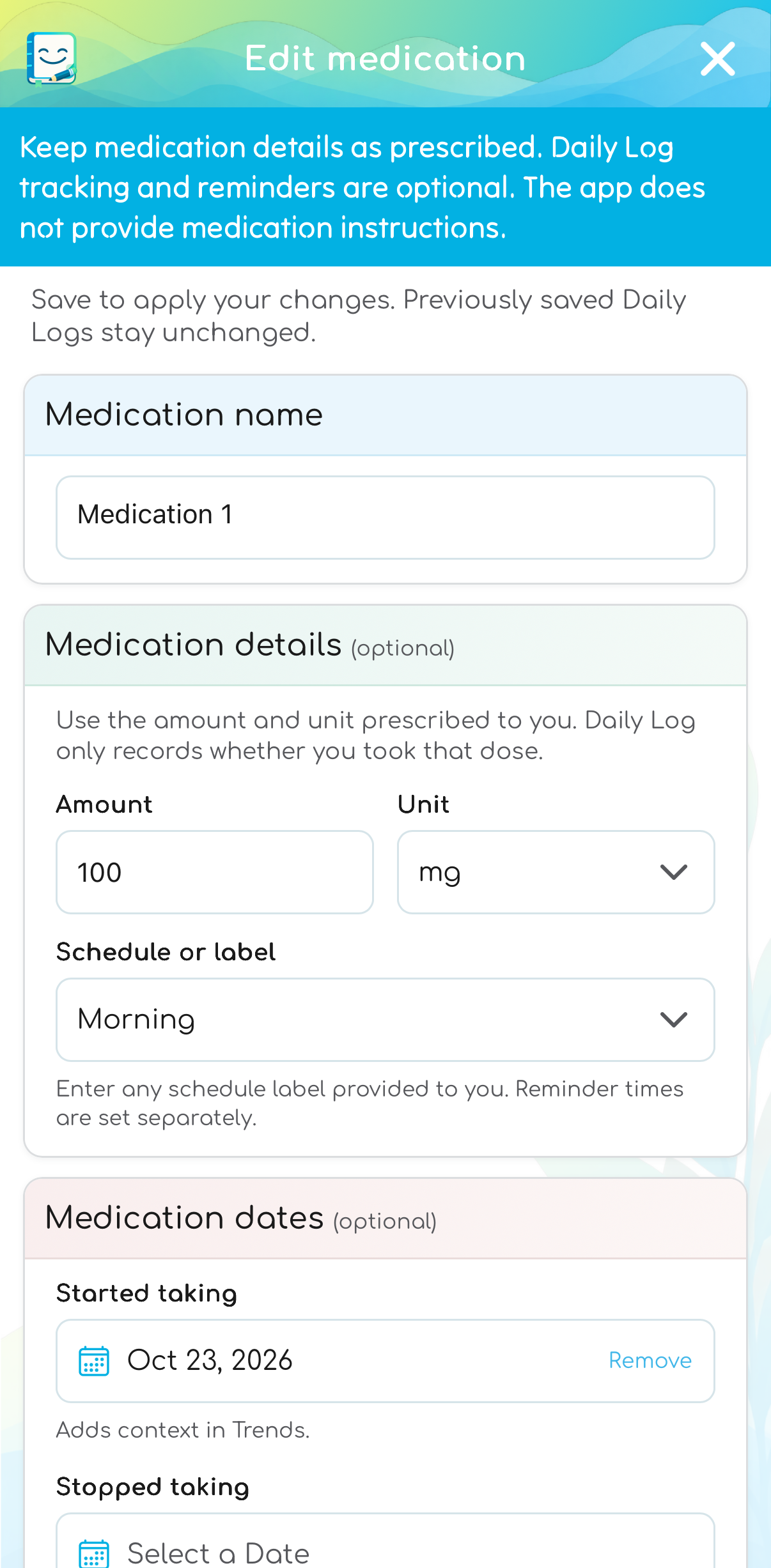
Keep the details together
Record prescribed details and optional start and stop dates. A schedule label does not set a notification time.
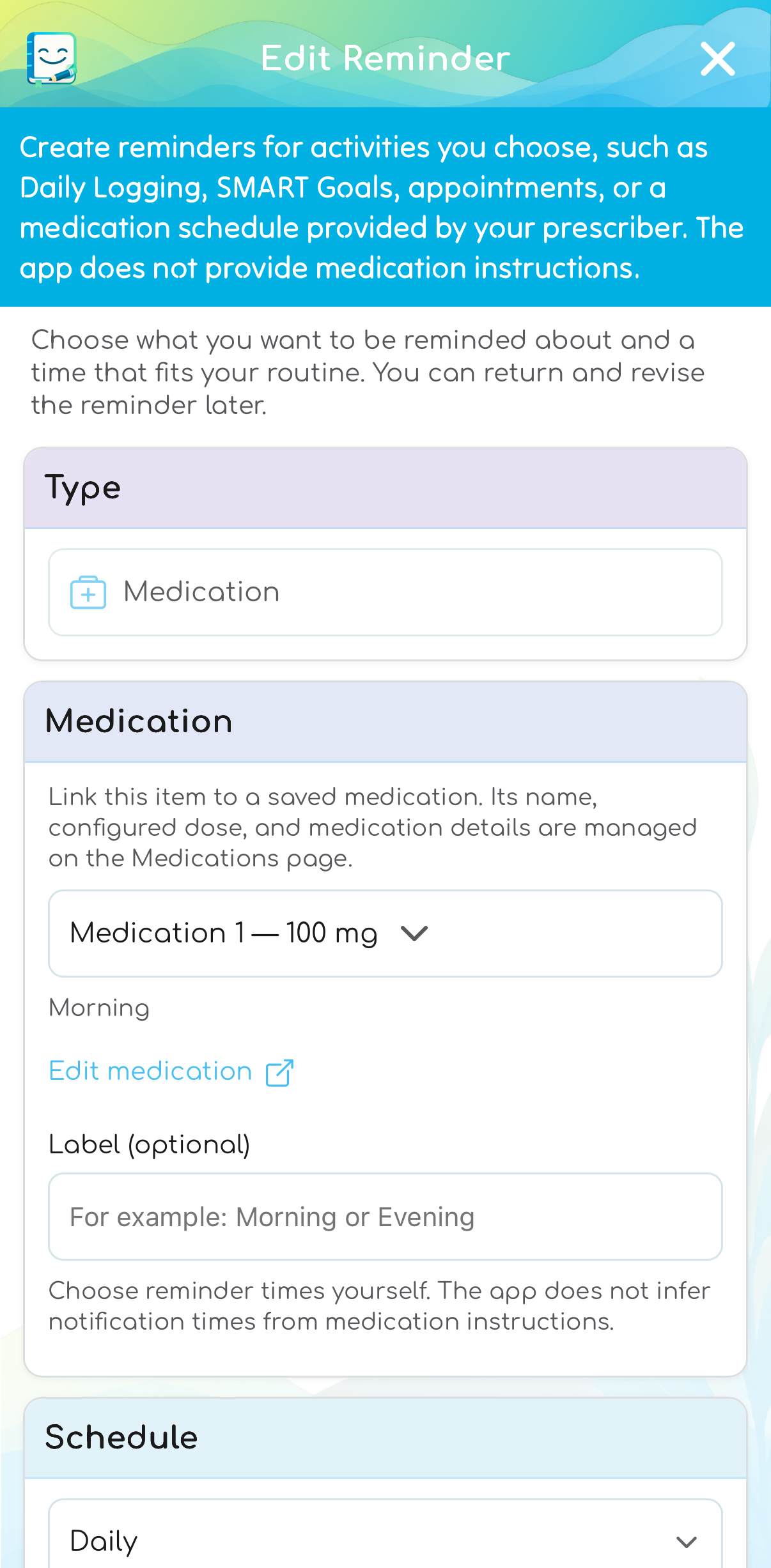
Choose a linked reminder
Link a reminder to a saved medication and choose its notification schedule separately.
History & Trends
Review the records you actually made.
Choose a preset or custom date range. Search Notes and Gratitude with highlighted matches, compare recorded items, or explore what differed on selected days. View possible patterns opens eligible comparisons for the period when enough relevant data is available. Results use on-device rules; text search does not cover numeric values, medication values, or worksheets.
Swipe or use the gallery controls. Tap an image to enlarge it.
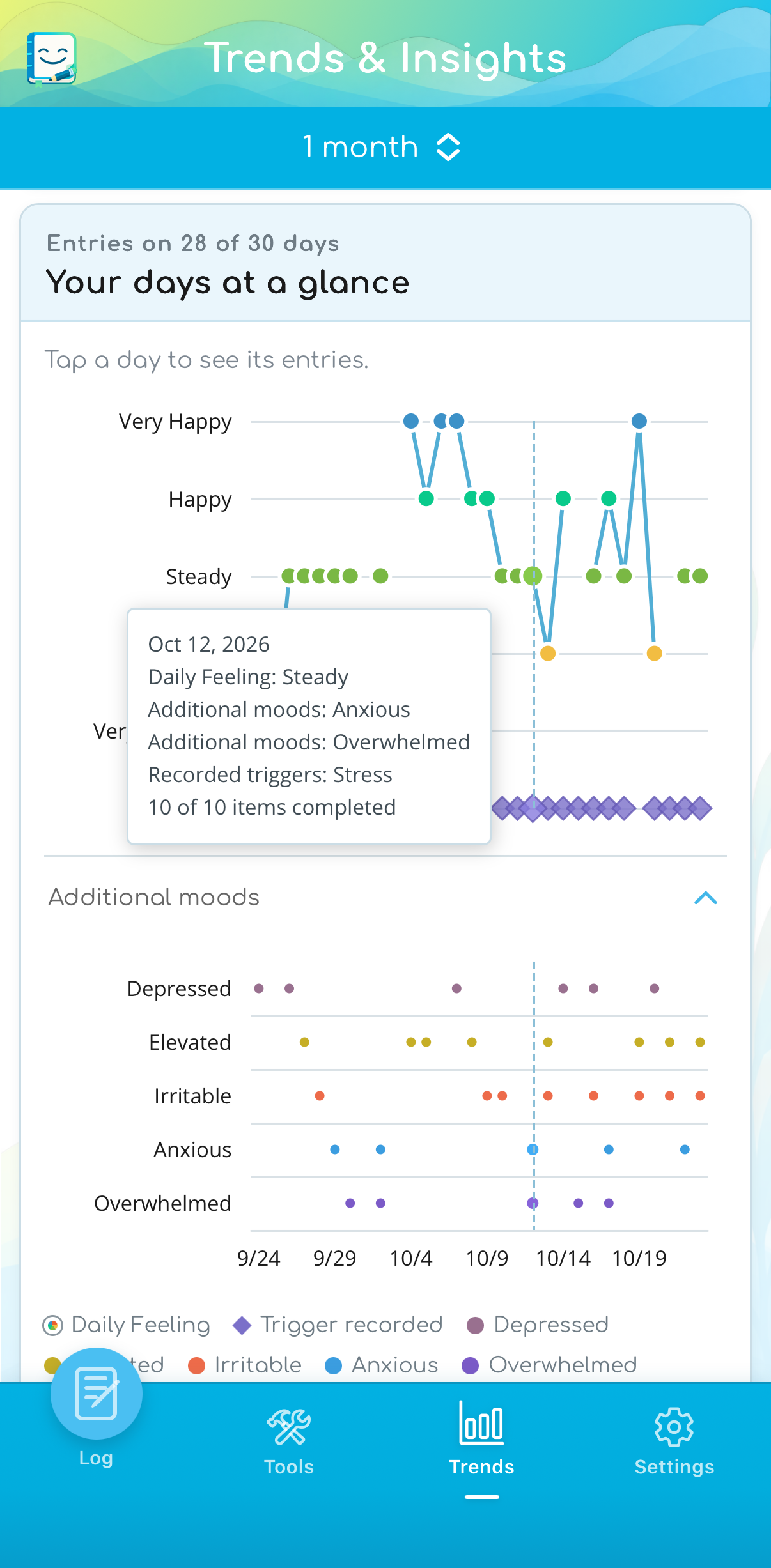
See the days together
Review overall daily feelings and additional-mood selections on the same timeline.
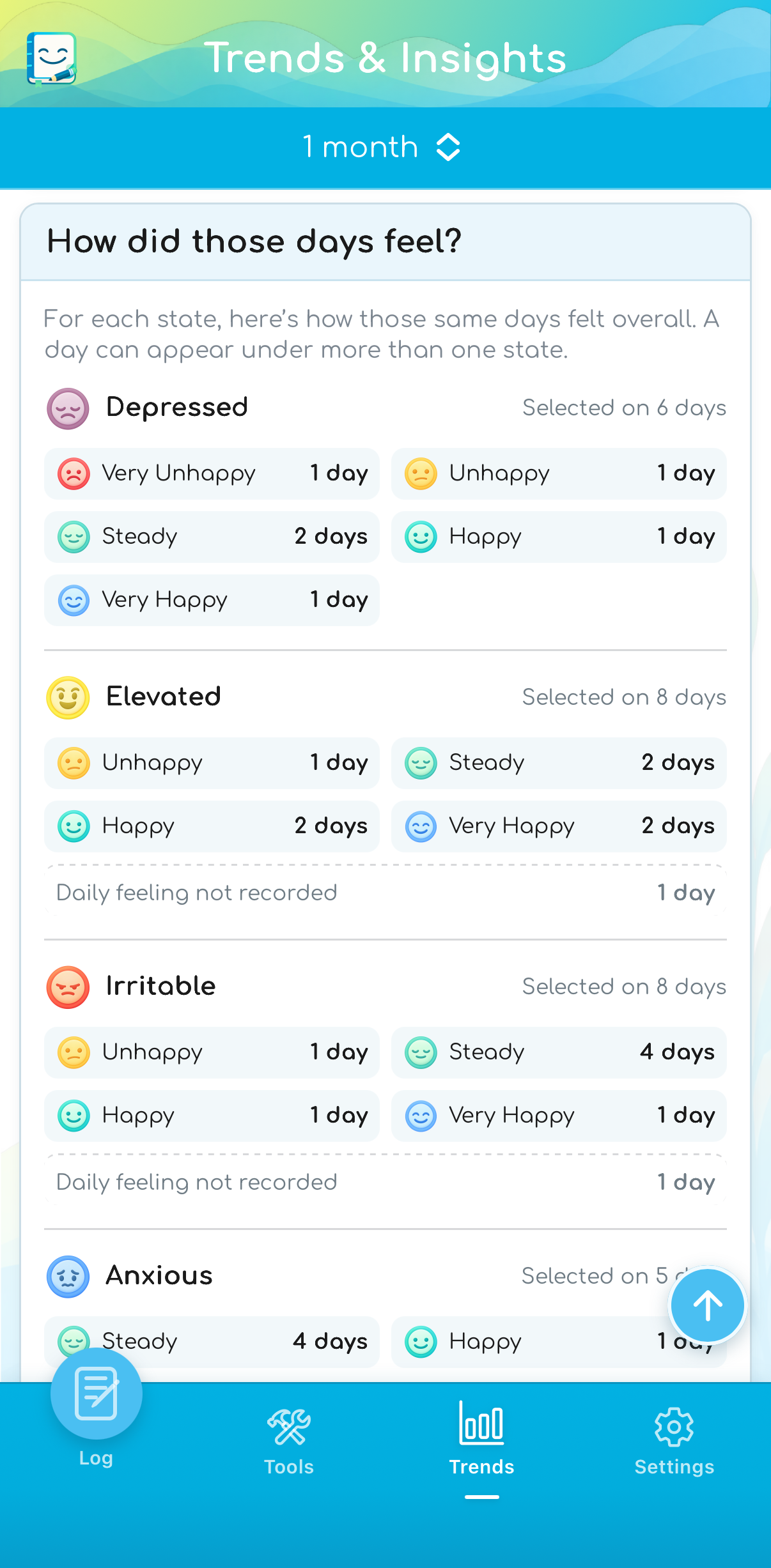
How did those days feel?
See the overall feelings recorded on days you selected each additional mood. These are recorded overlaps.
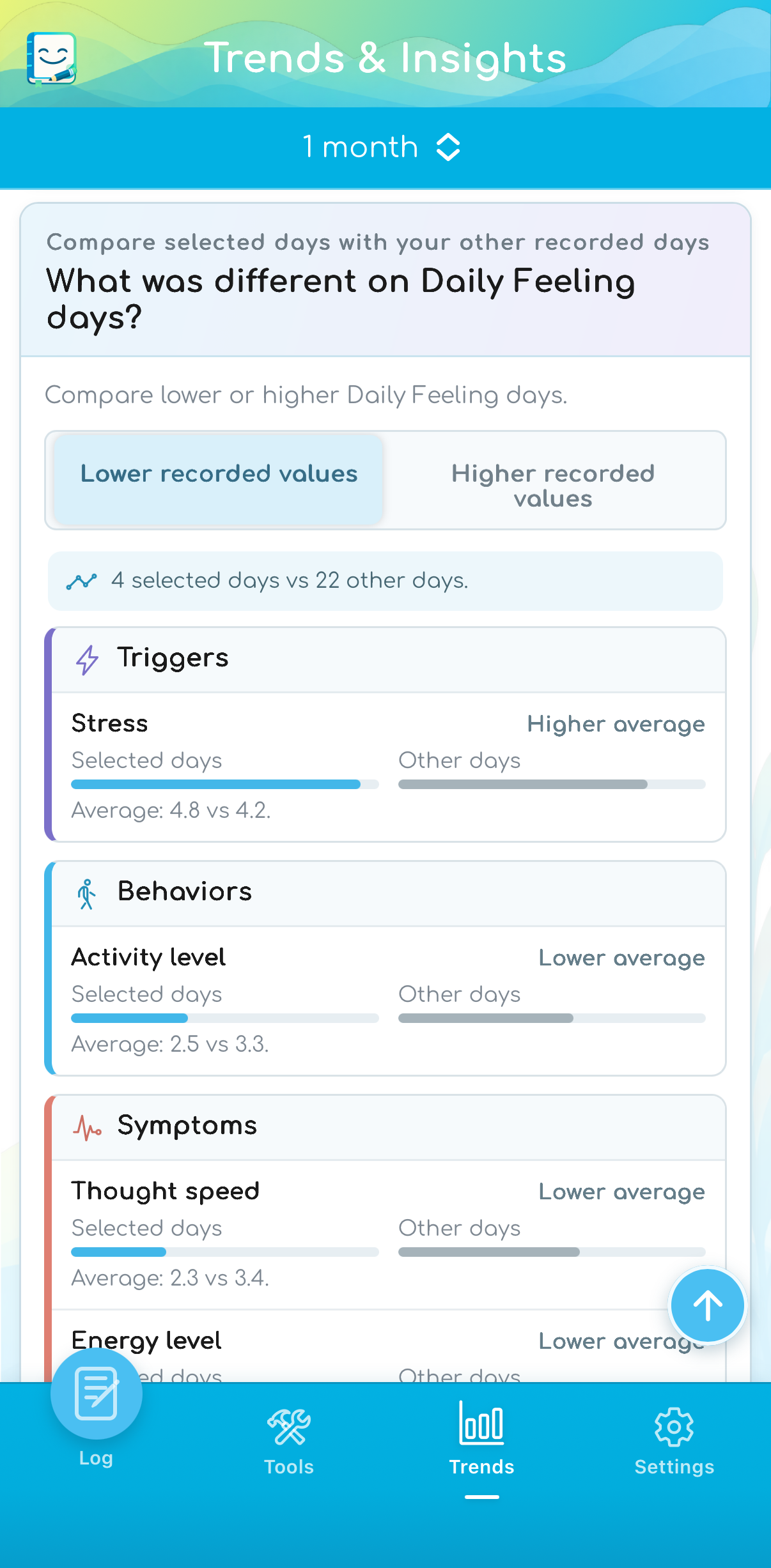
Compare recorded days
Explore differences between selected days and other recorded days, without treating a pattern as a cause.
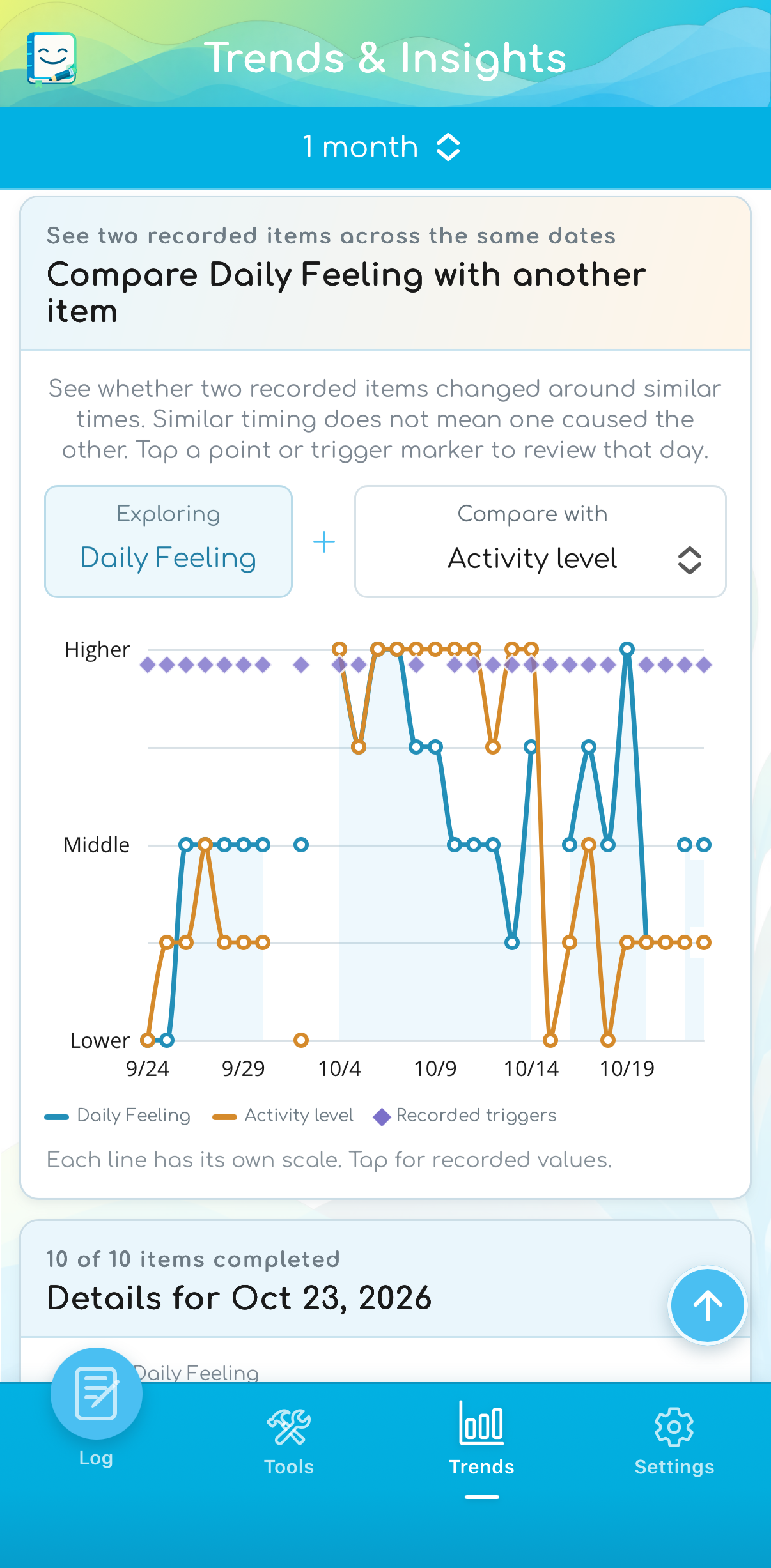
Compare two recorded items
Choose two items to view together and inspect the entries for a selected day.
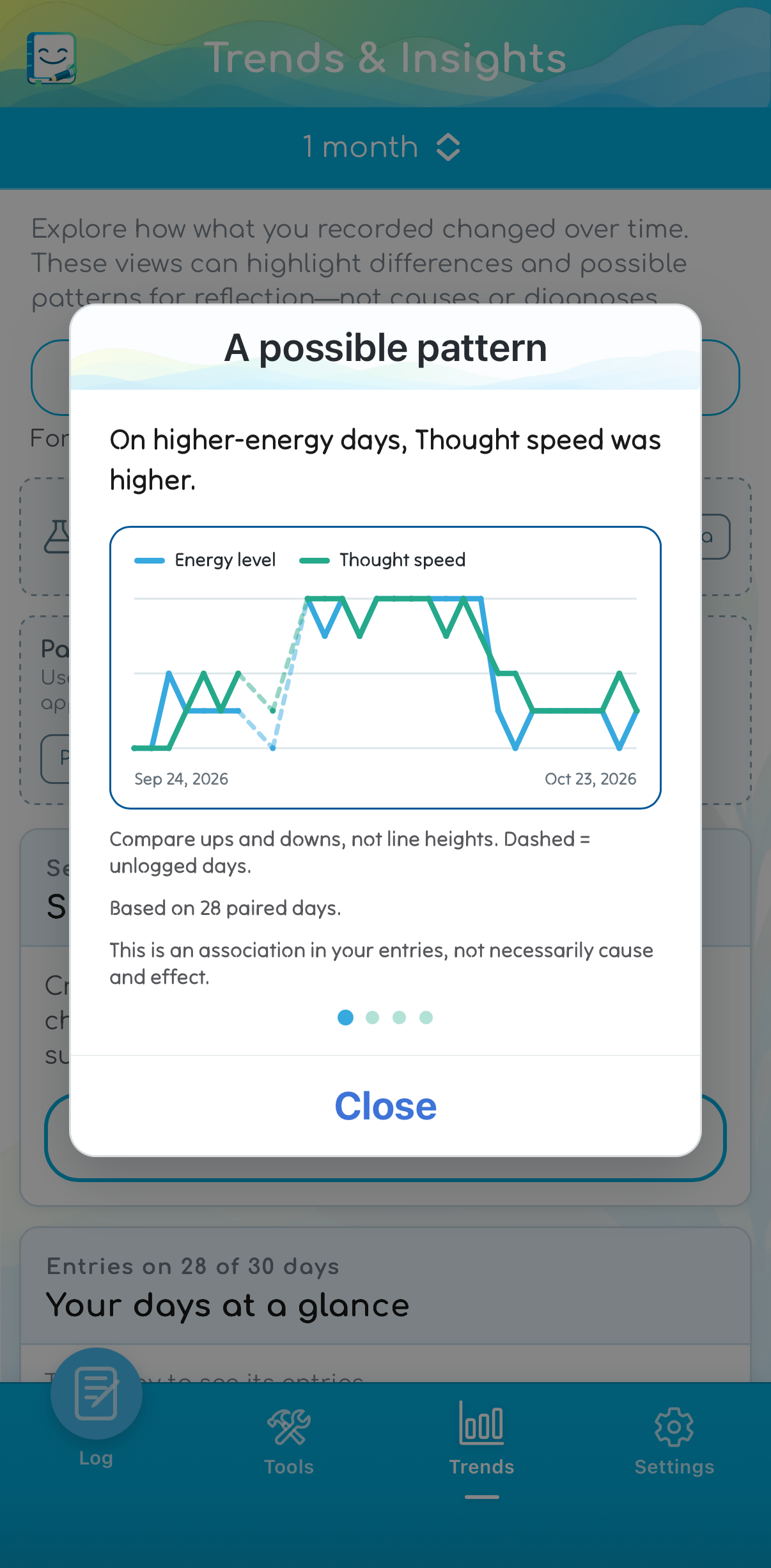
Review a possible pattern
Explore differences in your recorded entries. An association does not establish cause and effect.
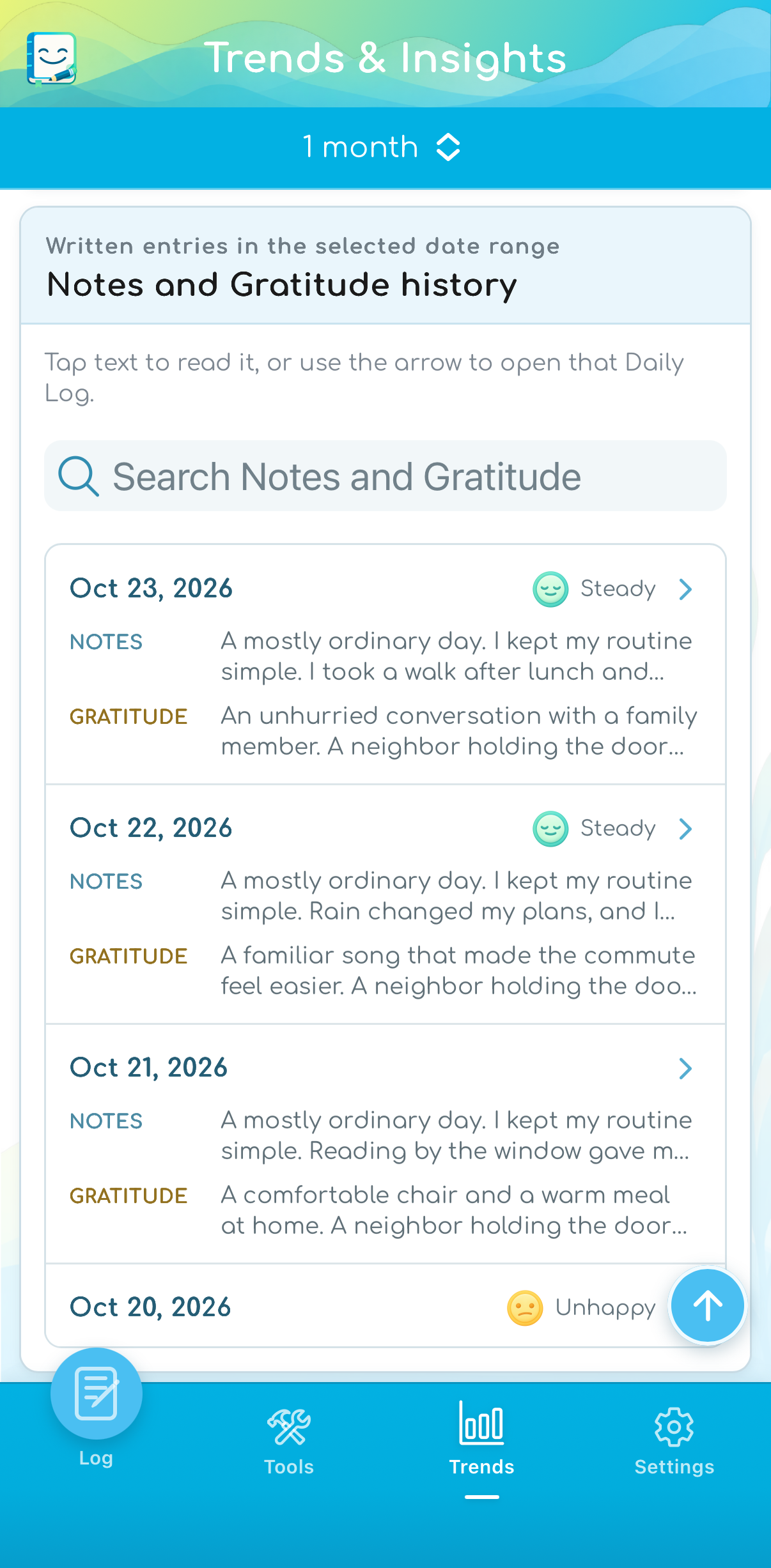
Return to the written context
Search Notes and Gratitude within your selected date range, or open an entry to read more.
Additional states appear alongside overall daily feelings on the same timeline. “How did those days feel?” shows the overall feelings recorded on days when each state was selected. These are recorded overlaps—not measured correlations, causes, diagnoses, severity scores, or automatic concern ratings. Elevated is not automatically positive or negative; an unselected state does not prove it was absent. The medication timeline adds start and stop dates for context; review saved medication changes in Medications.
Plan and prepare
Bring the important points with you.
Session Companion gives you a place to prepare for therapy, counseling, medication-management, coaching, or other support appointments, and to keep takeaways afterward.
Swipe or use the gallery controls. Tap an image to enlarge it.
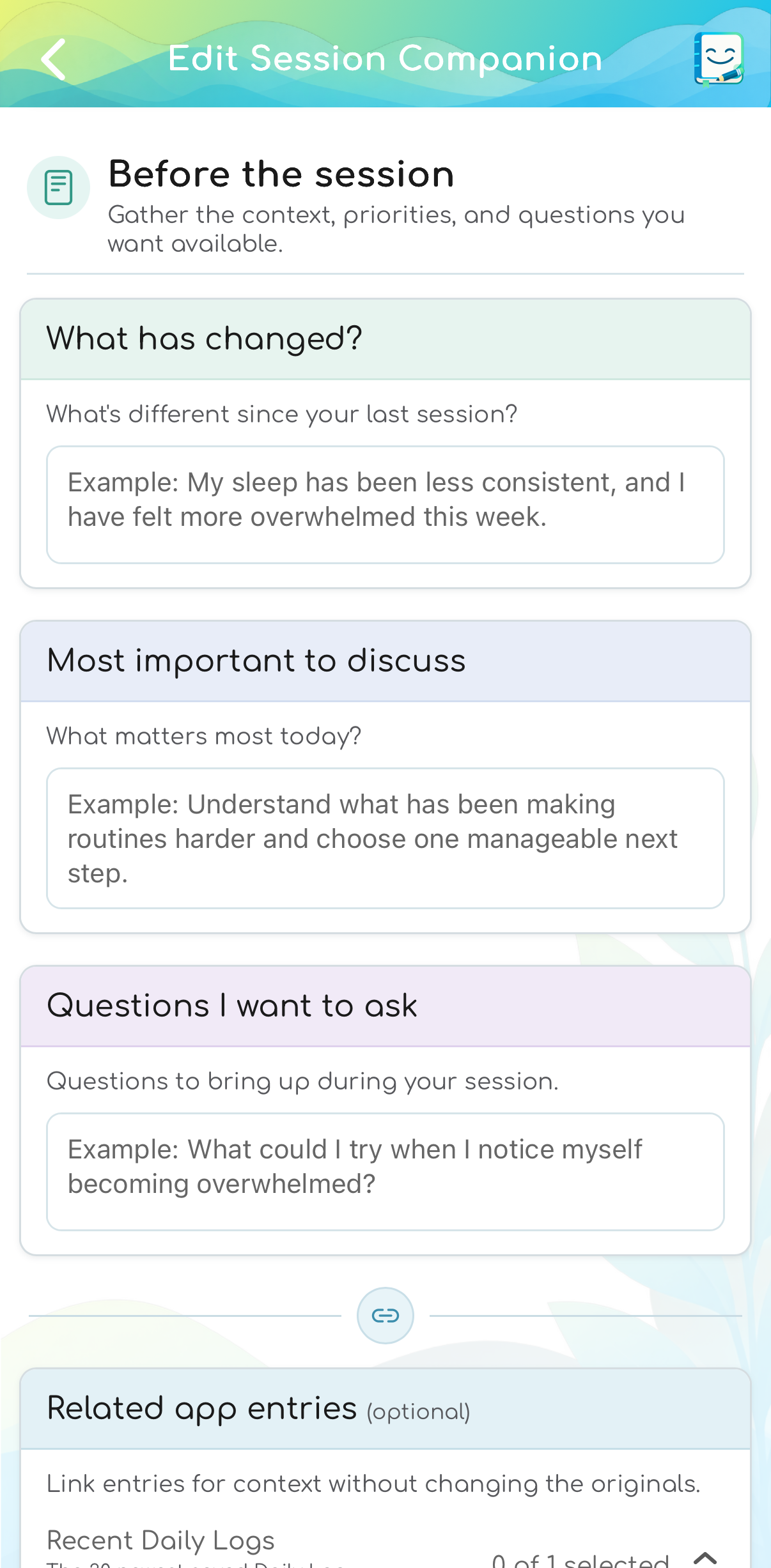
Prepare for an appointment
Gather changes, priorities, and questions before a therapy, counseling, or other support appointment.
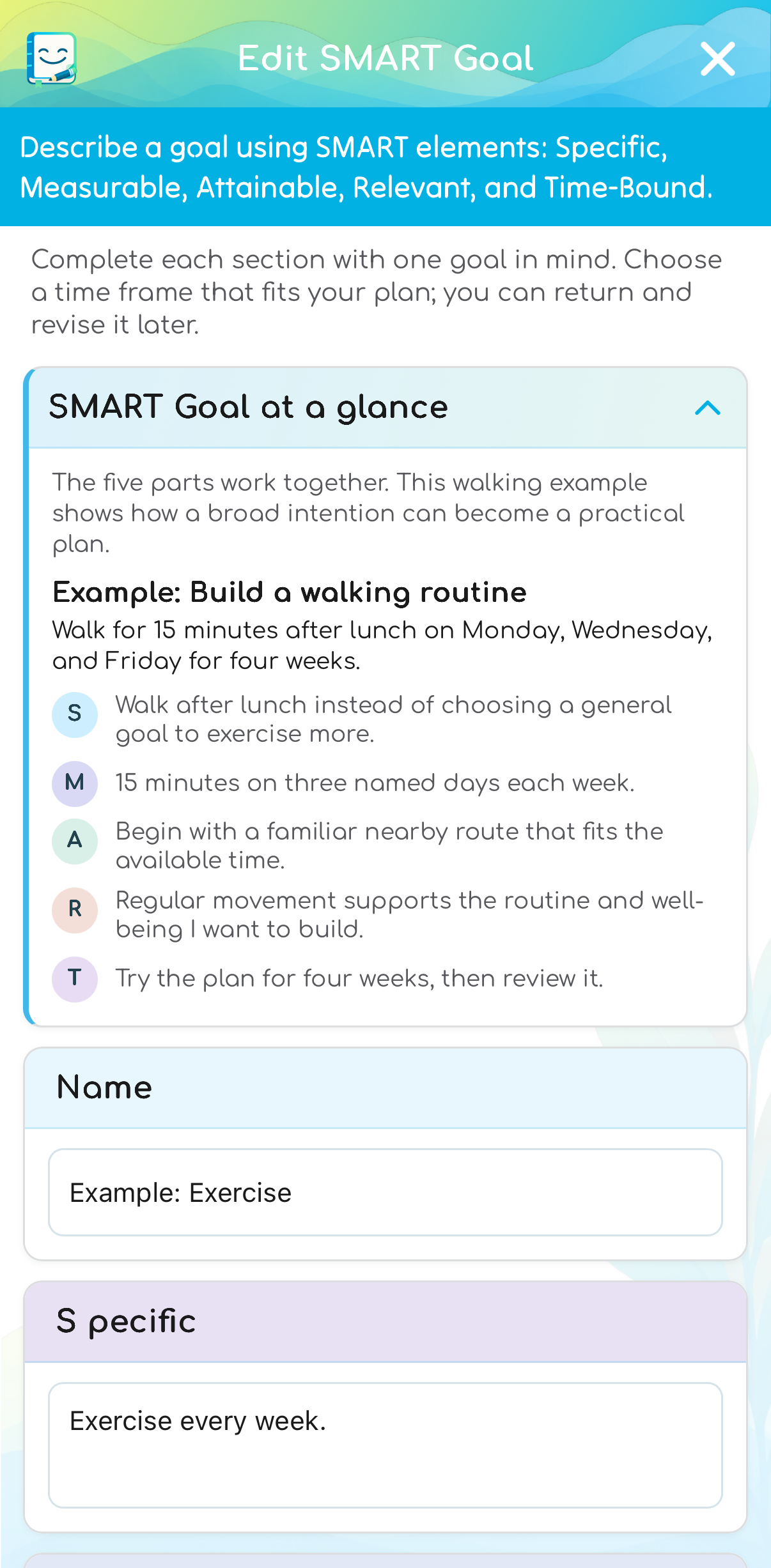
Make a concrete plan
Use SMART prompts to turn a goal into specific details, then keep next steps and progress notes.
Session Companion references leave the original entries unchanged. SMART Goals also support a next step, progress check-ins, a completion reflection, and an optional linked daily reminder.
Reflection & decisions
Explore a thought, choice, or priority.
Use Find support by topic to explore relevant app tools and educational resources. Suggestions use curated content and are not a diagnosis or treatment plan. Optional worksheets let you record your own perspective. The app does not decide which choice is right or evaluate whether a belief is clinically accurate.
Swipe or use the gallery controls. Tap an image to enlarge it.
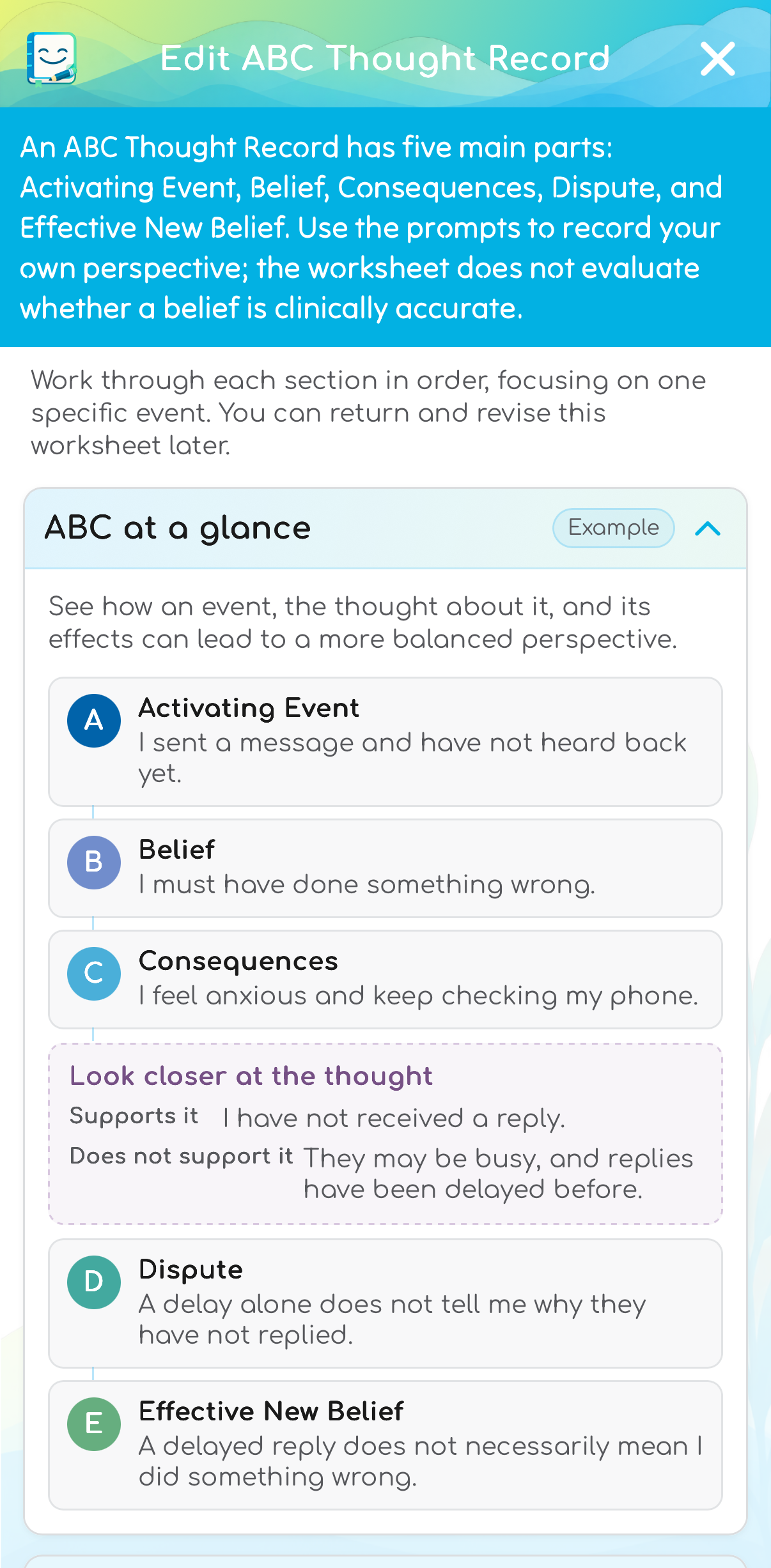
Work through a thought
Write about an event, your interpretation, and your response, with room to consider another perspective.
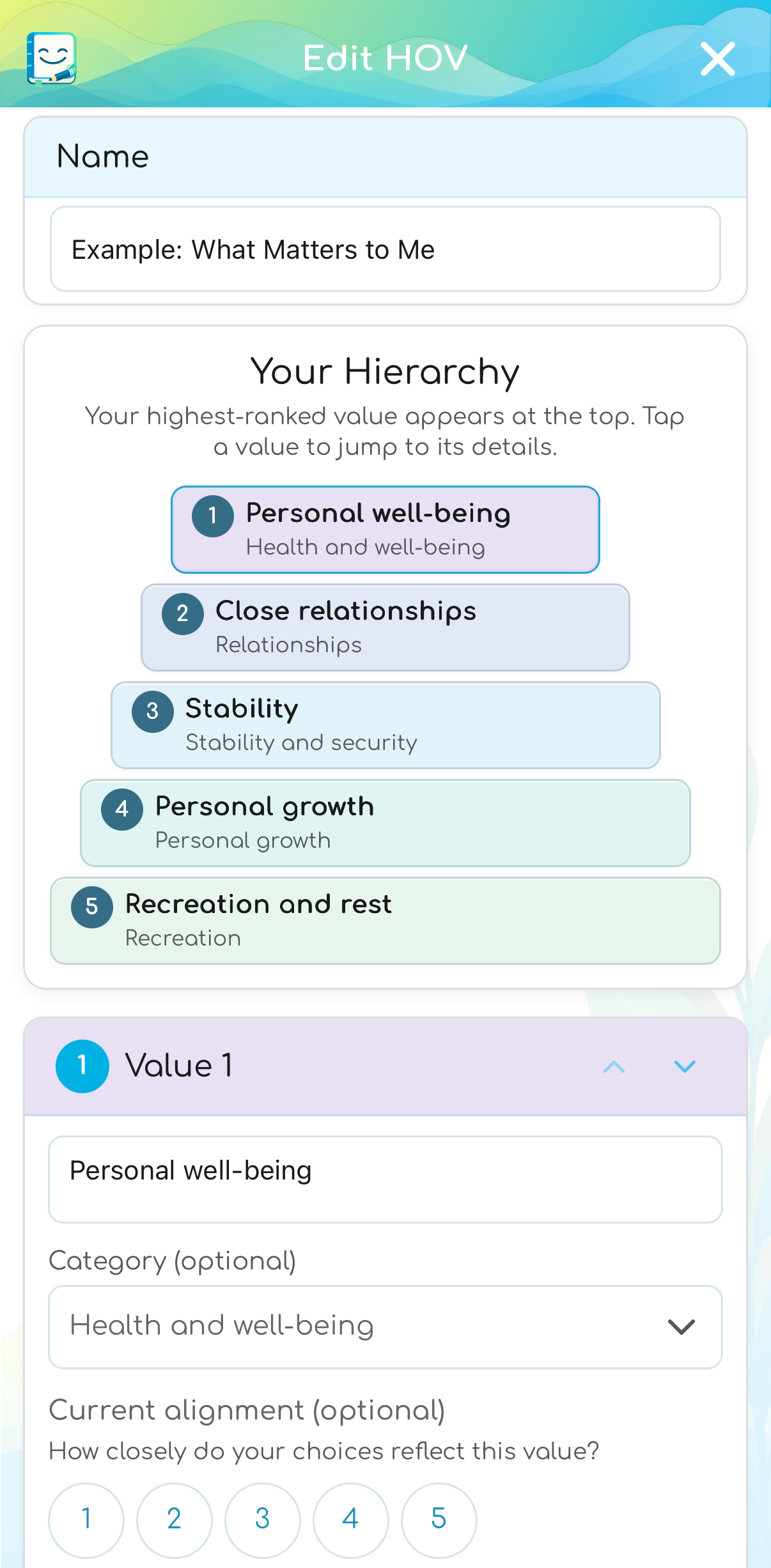
Clarify your priorities
Rank five values and optionally reflect on how your choices align with them.
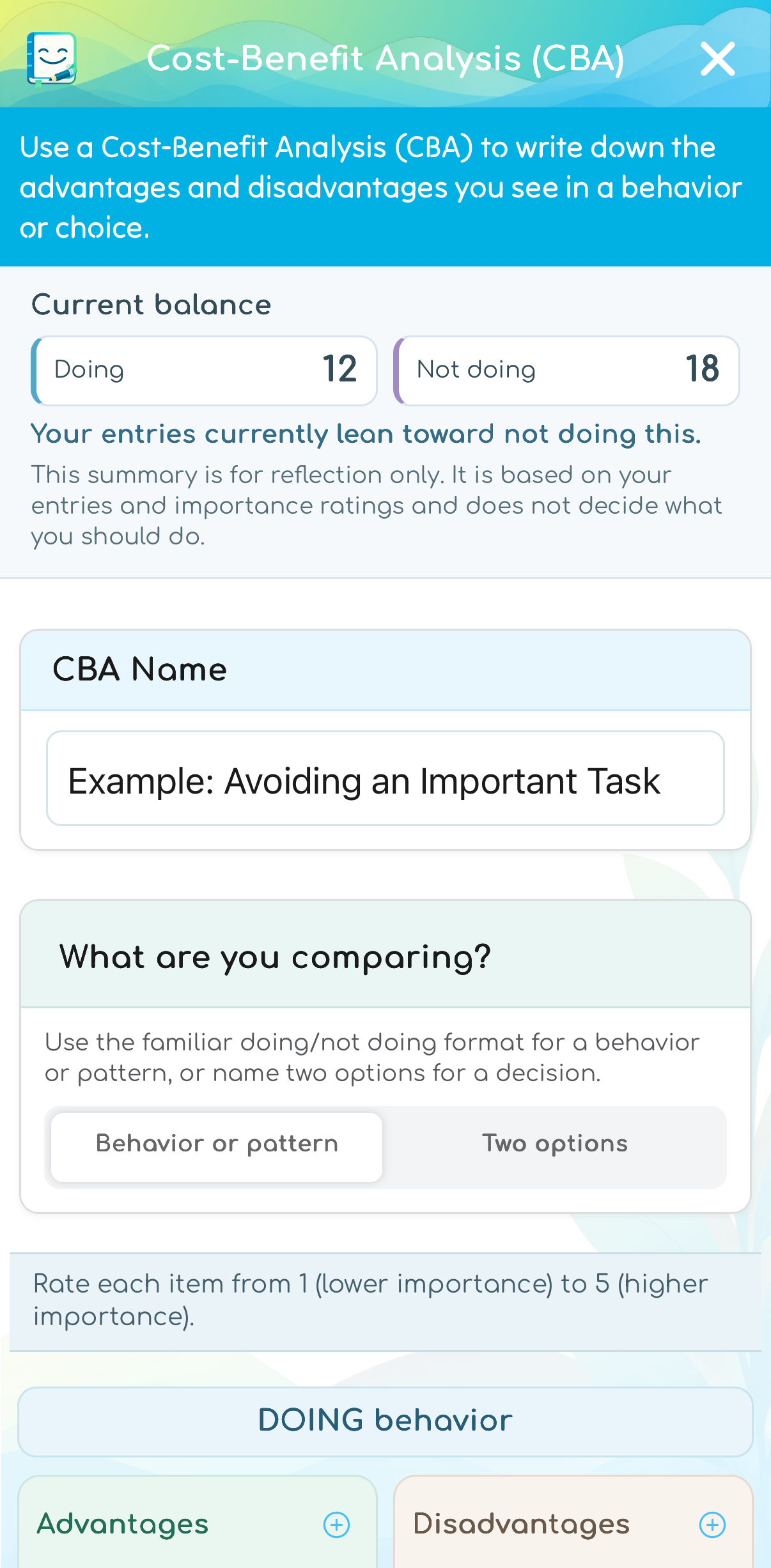
Compare benefits and costs
Compare a behavior or two options, using your own labels and importance ratings.
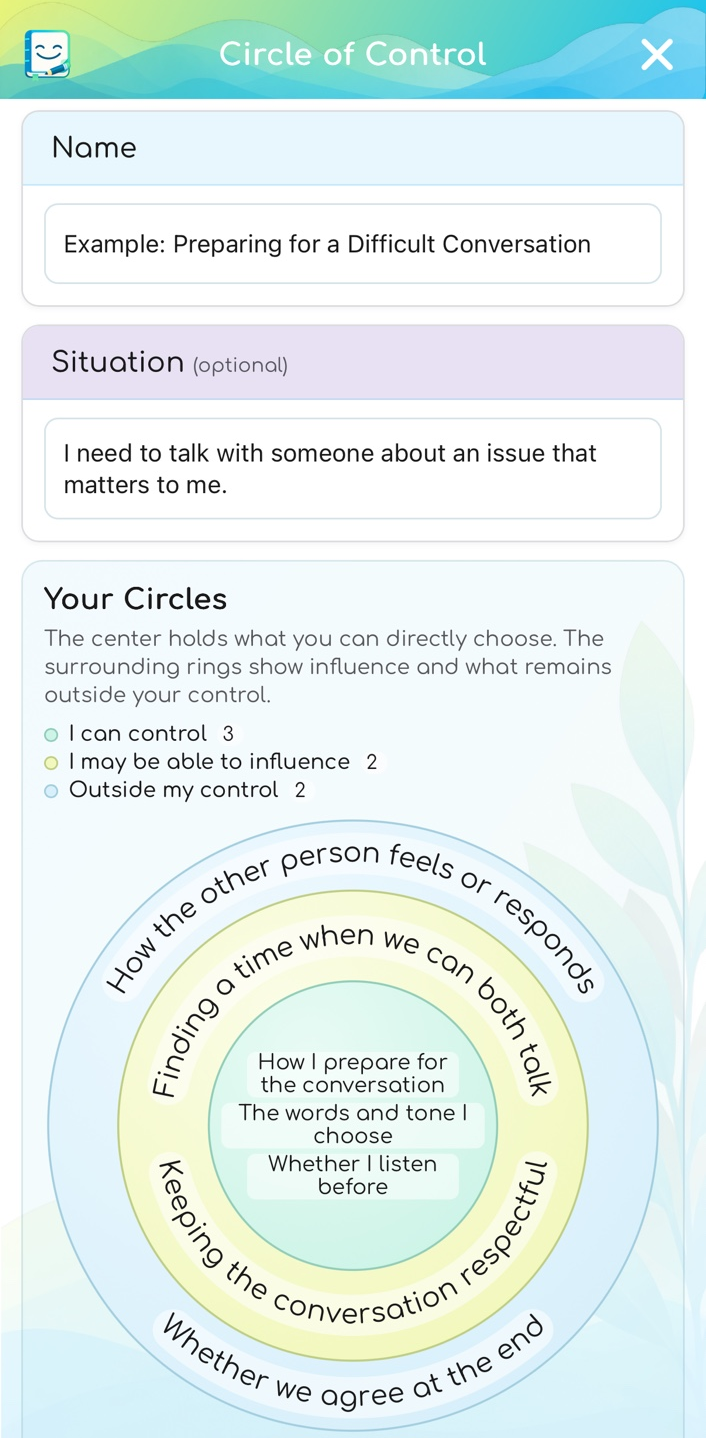
Sort a concern
Separate what you can control, what you may influence, and what lies outside your control.
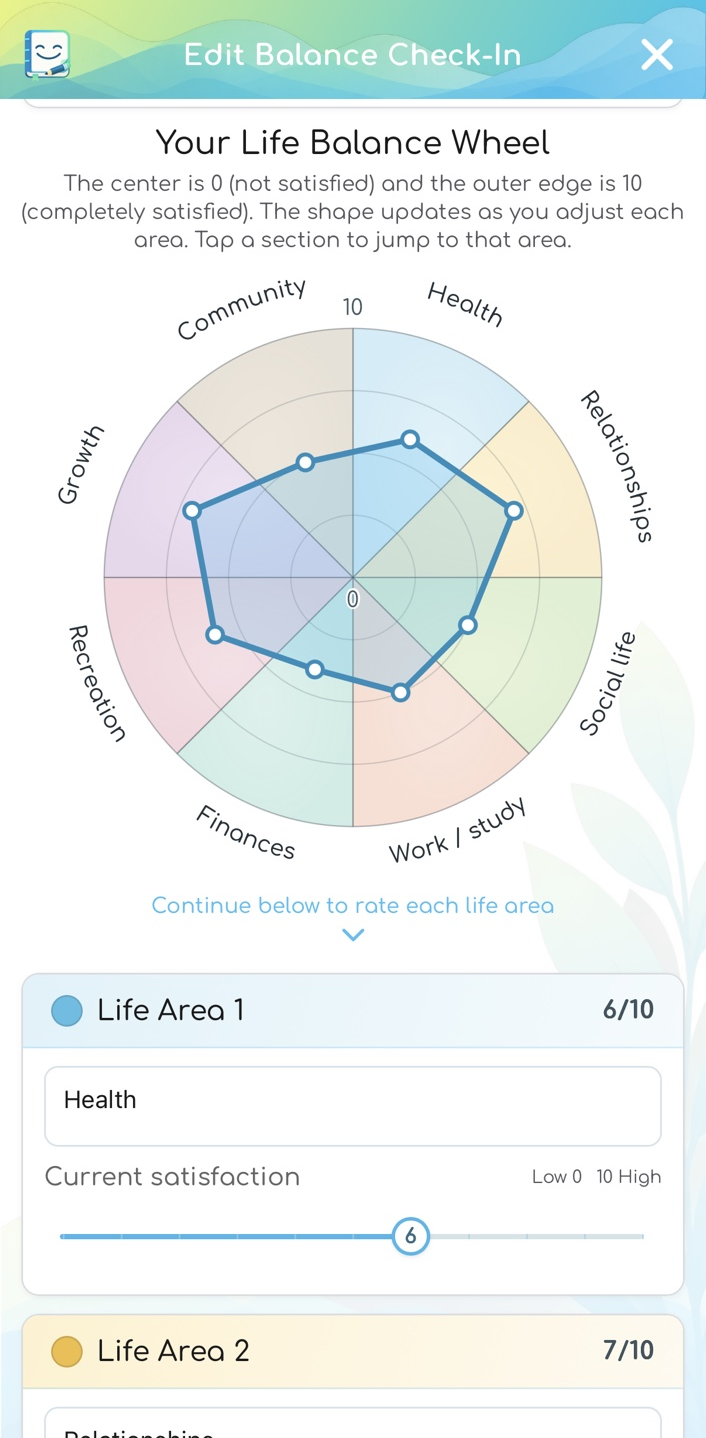
Review areas of life
Use a visual snapshot to reflect on your satisfaction across different areas. There is no correct wheel shape.
Practice, coping & planning
Keep your own strategies available.
Organize optional practice steps, write down coping ideas, and prepare a personal Crisis Plan. You can also link chosen triggers between your Daily Log Template and Crisis Plan. Fear Ladder practice history remains available when a step is marked complete; mark it incomplete to resume practice. These tools are for reflection and planning, not treatment or emergency response.
Swipe or use the gallery controls. Tap an image to enlarge it.
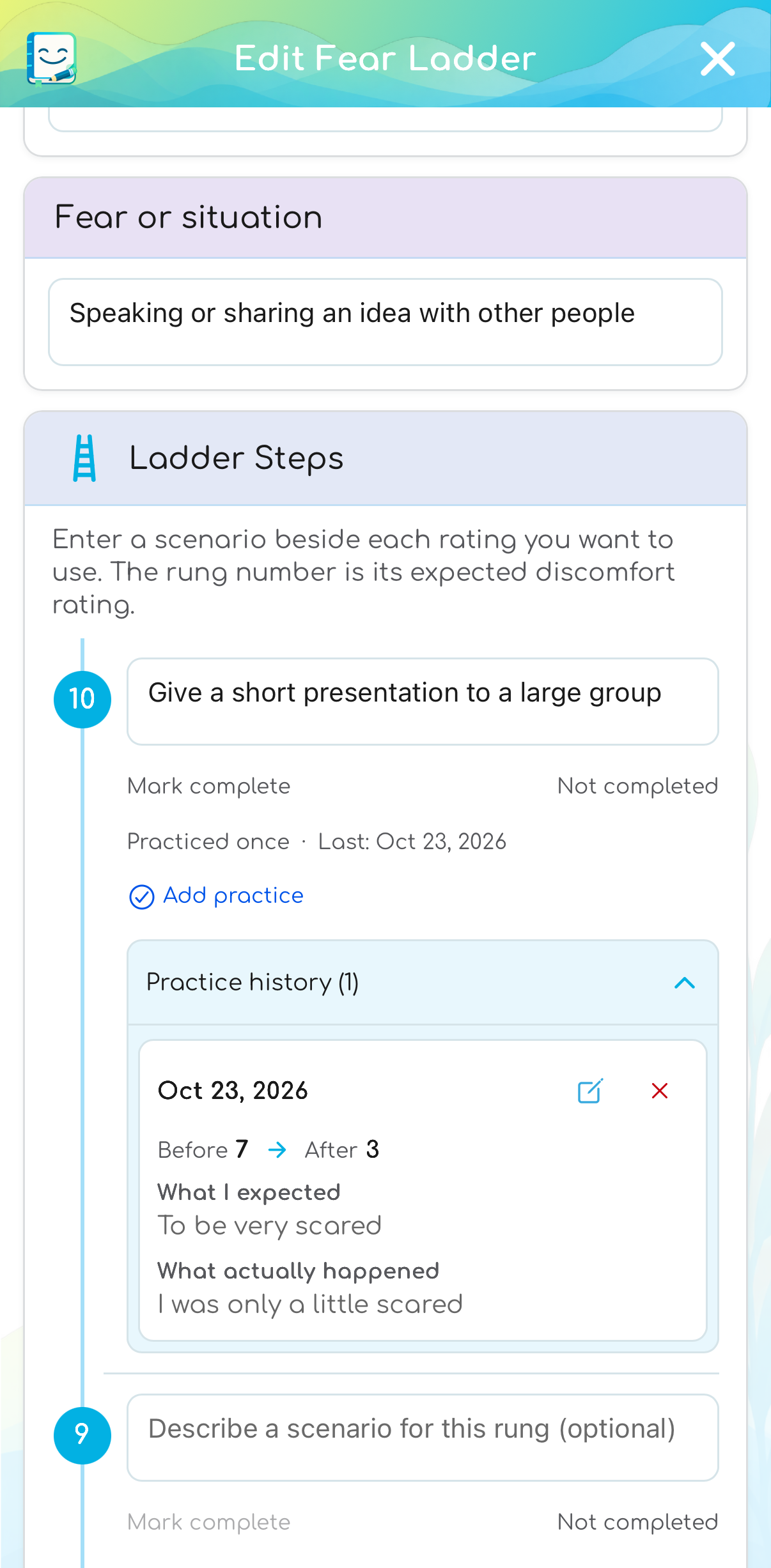
Organize practice steps
Keep practice reflections and before-and-after discomfort ratings. Marking a step complete is a separate choice.
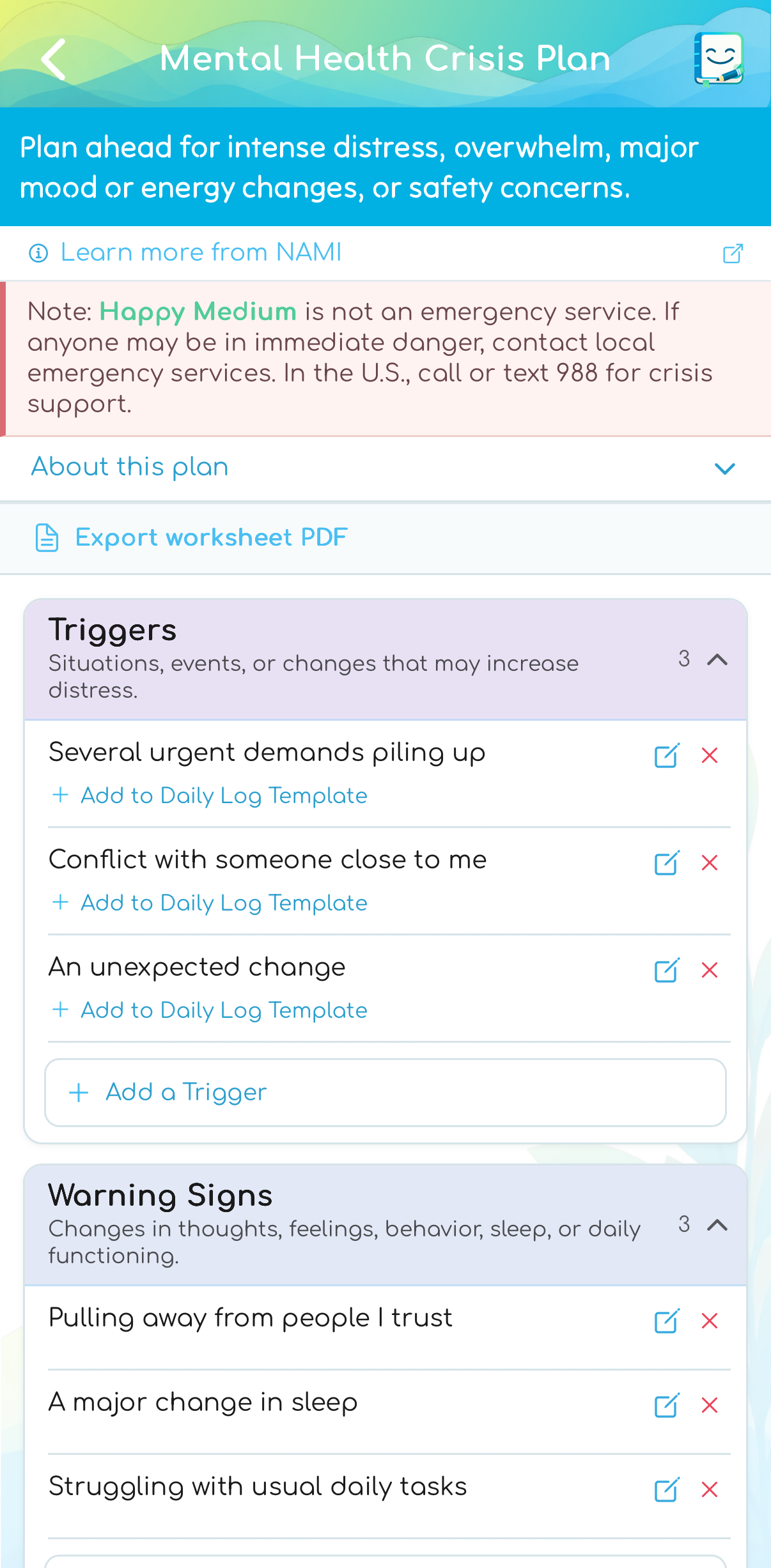
Plan ahead
Keep warning signs, coping steps, contacts, and safer-surroundings information in a private worksheet.
Exports & backup
Choose what leaves the app.
Select report contents yourself, export Daily Log selections as CSV, or save a complete local JSON backup for restoration.
Swipe or use the gallery controls. Tap an image to enlarge it.
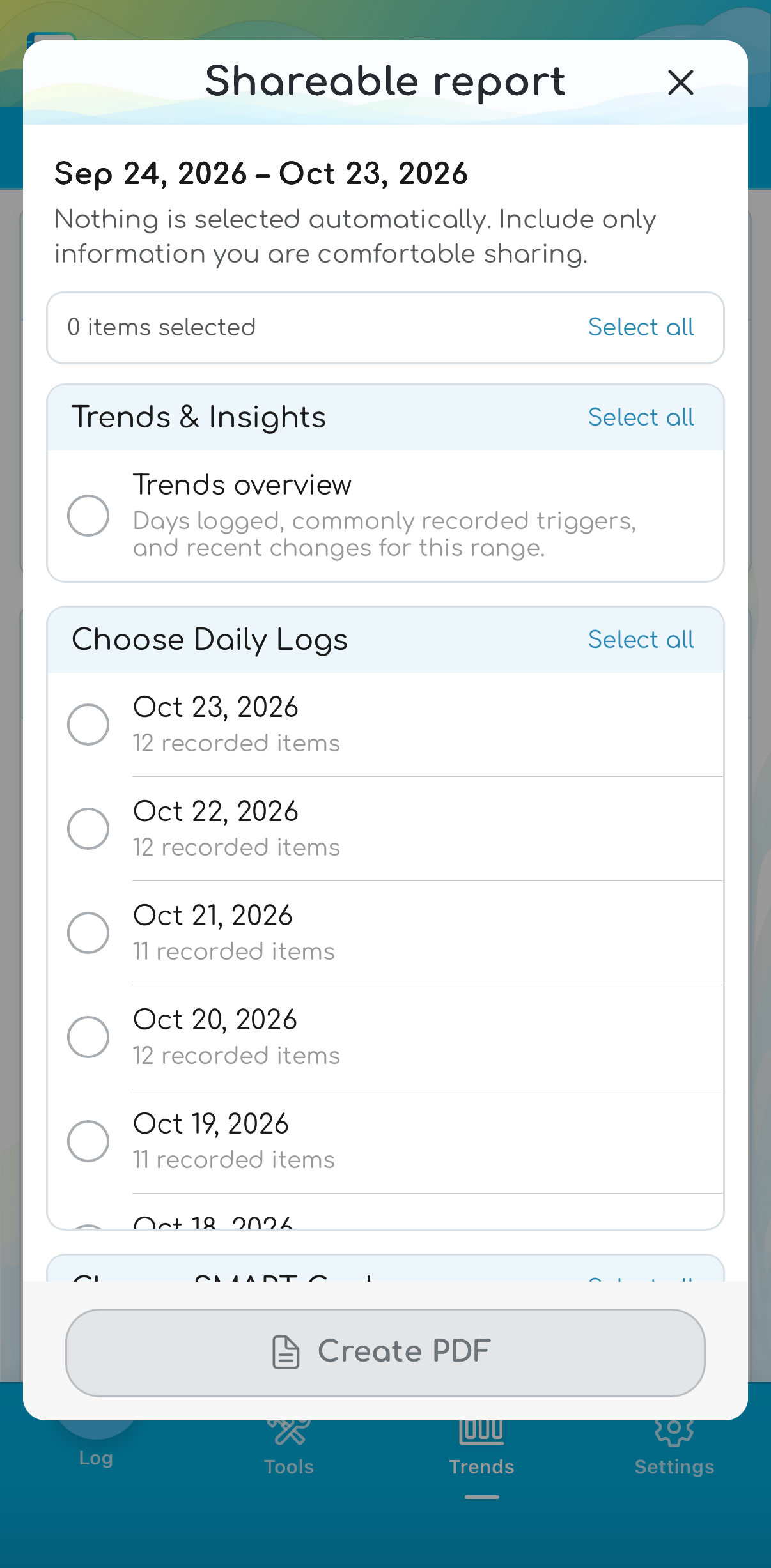
Select report contents
Pick the overview and records you want in a PDF. Nothing is selected automatically.
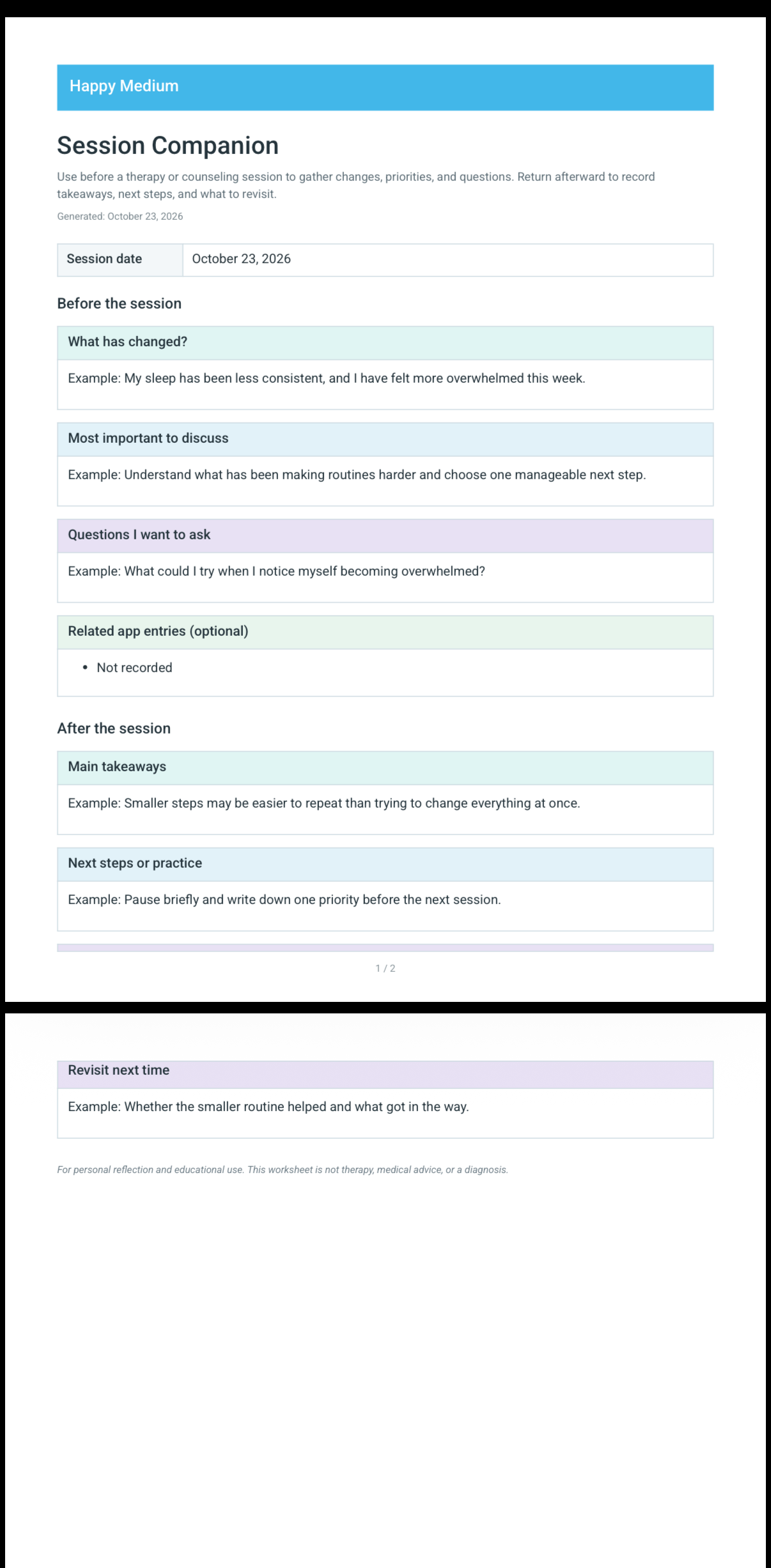
Take a worksheet with you
Export a supported worksheet as a readable PDF to keep or share intentionally.
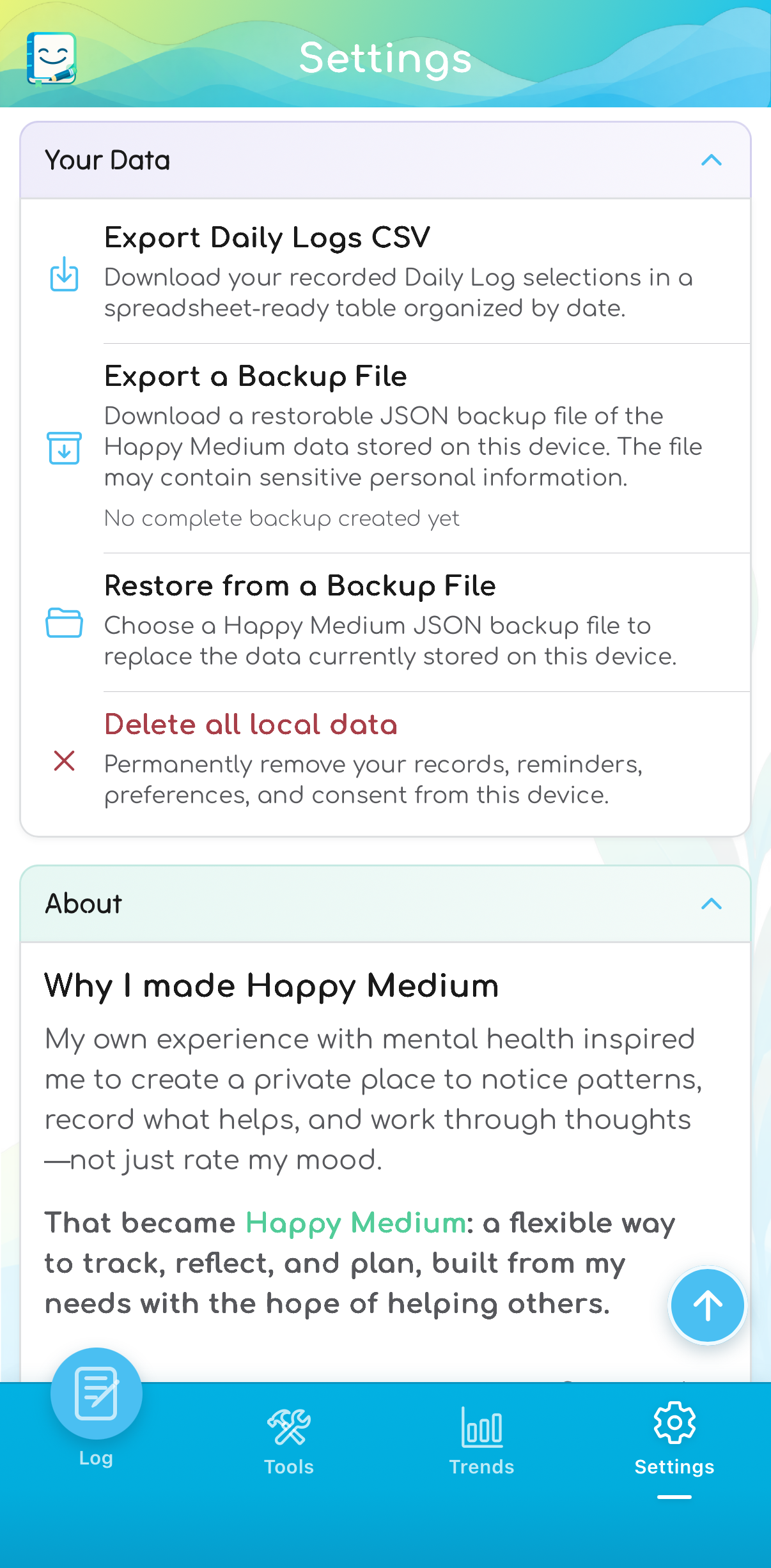
Keep a local backup file
Use Settings for CSV export, complete JSON backup, file restoration, and local-data deletion.
Supported saved worksheets also offer PDF export, including selected batch PDFs from supported tool lists. A complete JSON backup is used for restoration; PDF and CSV files are for reading or sharing.
Restoring replaces active app data after confirmation. Protect exported files separately from App Lock, and keep a backup somewhere you can find it.
Read backup, restore, and deletion guidance.Preferences & support
Make the app comfortable to use.
Choose English or Spanish, light or dark theme, and whether to use reflections, reminders, and milestone celebrations.
Swipe or use the gallery controls. Tap an image to enlarge it.
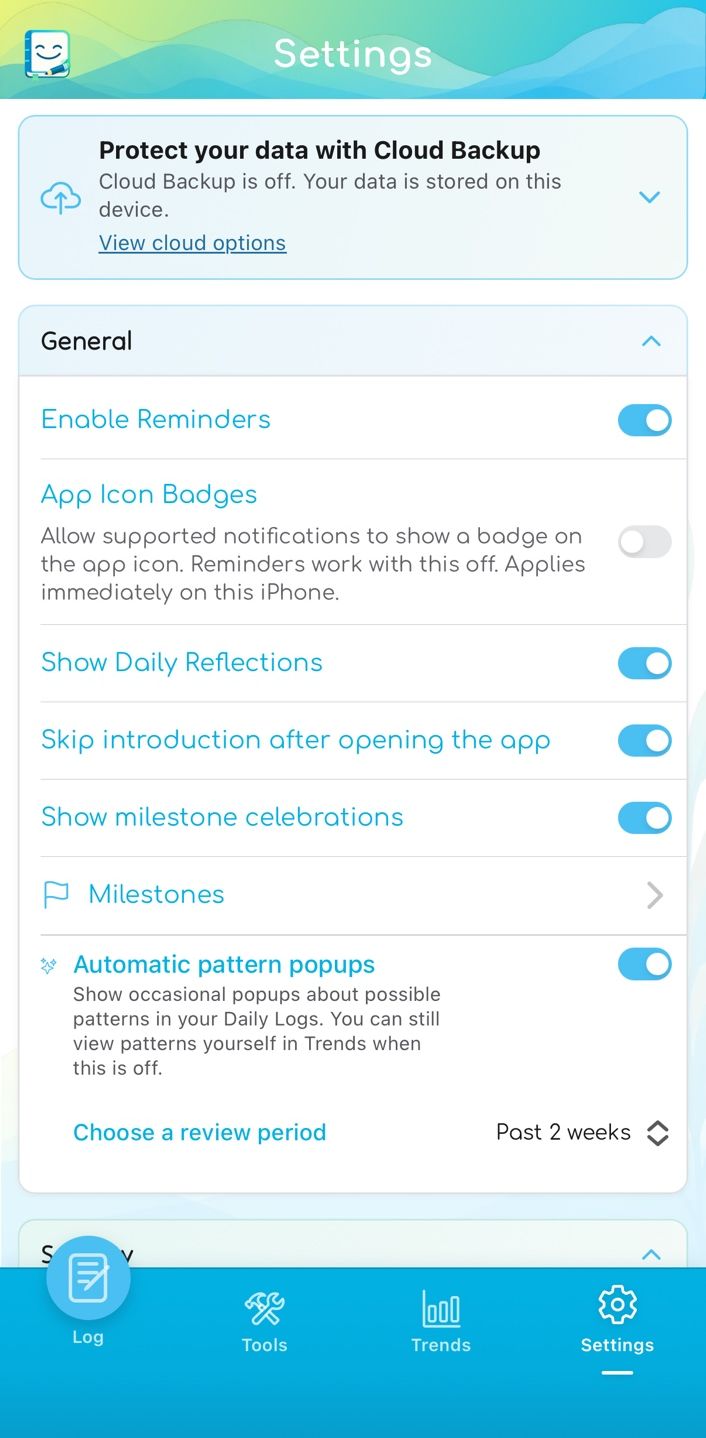
Choose your preferences
Control reminders, reflections, milestones, app-icon badges, and optional pattern prompts.
Light or dark
Choose the theme that suits you. Your records and tools stay available in either theme.
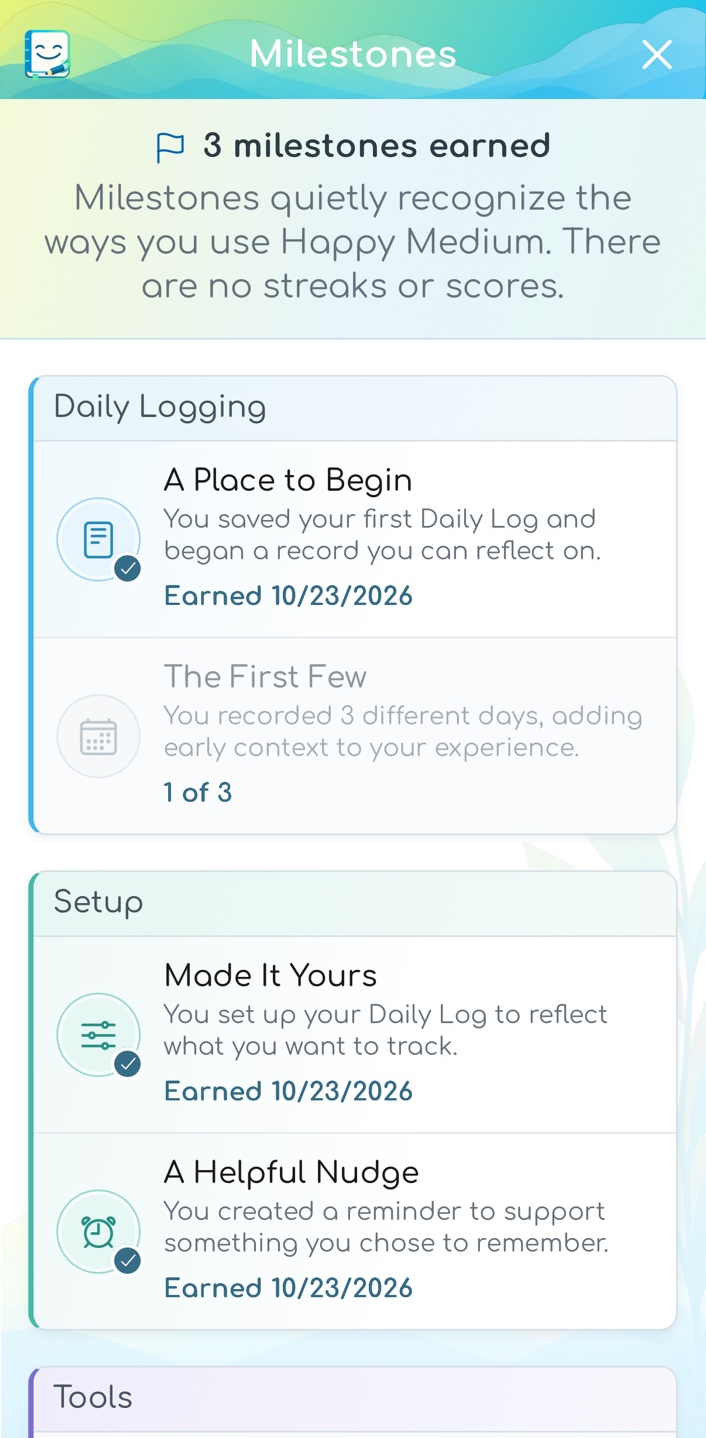
Recognize your progress using the app
Milestones acknowledge logging, setup, and exploration without streaks or health scores.
App Lock: optional supported device biometrics or passcode authentication adds access control, not encryption.
App Icon Badges: off by default on iPhone. Allow supported notifications to include a badge, or turn badges off to clear them without disabling regular reminders. iOS notification and badge permissions also apply.
Help: read the FAQ, email feedback or support, and share the app using your iPhone’s sharing options.
Language: the interface and in-app Privacy Policy and Terms of Use are available in English and Spanish. Changing language does not translate your entries. Spanish translations have not been professionally reviewed. This website’s policies are in English.
Optional tips: one-time purchases support the app without unlocking features, renewing automatically, or requiring a cloud account.
Local first. Cloud by choice.
Keep using the app your way.
Daily logging, tools, Trends, reminders, exports, and complete local JSON backup/restore are free without an account.
Free local use
Your records stay on this iPhone unless you choose to export, share, or upload a cloud backup. Local records remain available if a subscription ends.
Local backup and export guidanceOptional Cloud Backup
US$2.99/month or US$24.99/year
Both plans include the same manual cloud backup and restore access. Choose when to save a copy and when to restore it on an iPhone.
Cloud account required. Apple subscriptions renew automatically unless cancelled. Annual billing charges the full year; regional prices and taxes may differ.
How Cloud Backup worksSwipe or use the gallery controls. Tap an image to enlarge it.
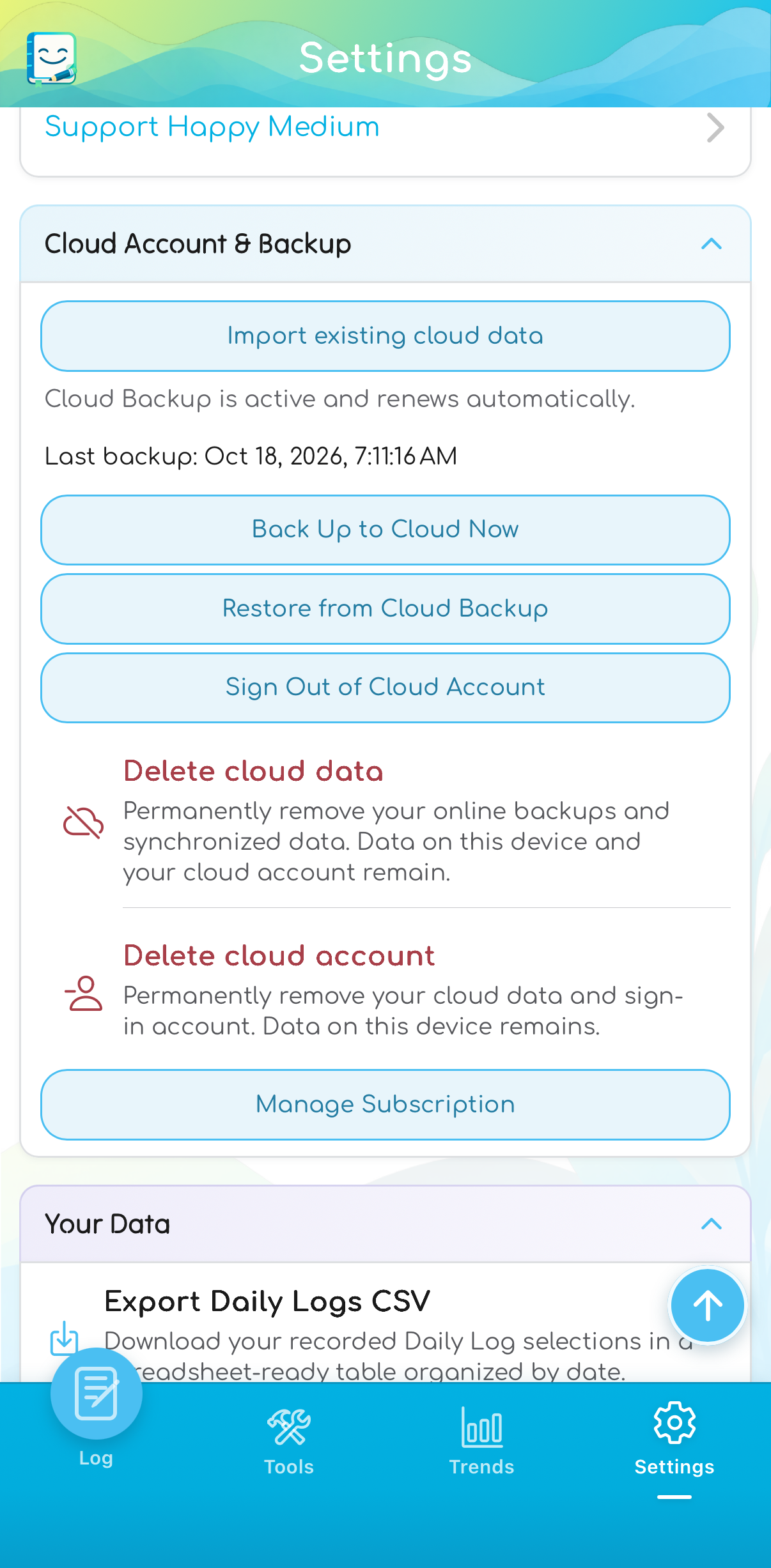
Back up when you choose
Create a manual backup, restore a saved copy, or manage your subscription and cloud account.
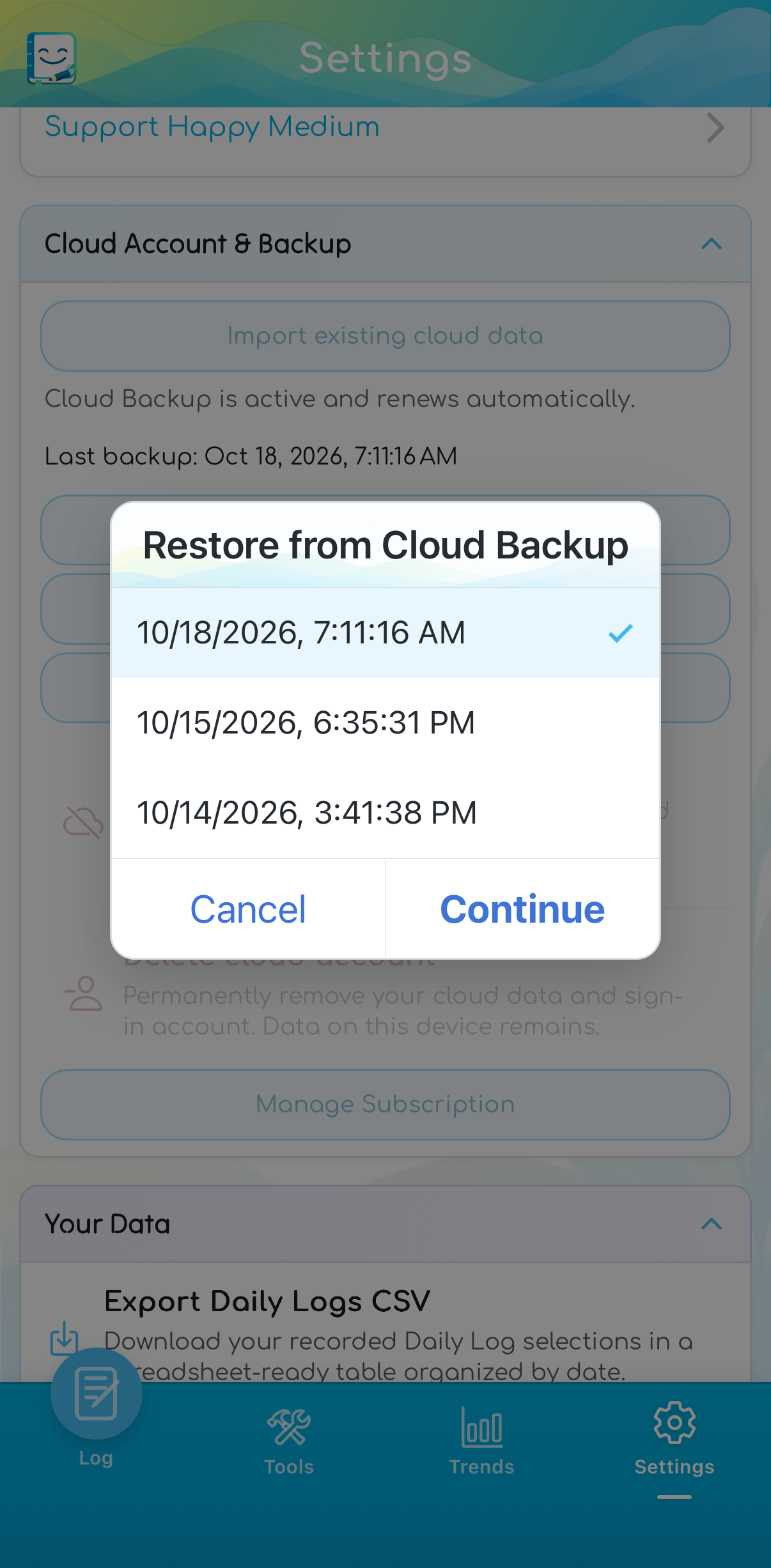
Choose a saved restore point
Review completed cloud backups and choose the copy you want to restore.
Cloud Backup keeps the newest 10 completed restore points, up to 4 MiB each. It does not automatically back up or synchronize devices. Optional one-time tips are separate and do not unlock features. Subscription terms.
Content & boundaries
Know what the app offers.
Happy Medium does not use AI to read or interpret journal entries. Educational drafts and translations used AI assistance during development and were reviewed and edited by the developer.
The app has not undergone formal clinical review and does not provide therapy, medical advice, diagnosis, treatment, crisis monitoring, or emergency services.
Read about content and independent sources